
|
NOTE |
|---|
|
For examples of how to use the relays, refer to the Appendix, Example Relay Configurations. |
Configuration of the LYNK II relays should only be done by qualified personnel.
-
Connect the LYNK II Gateway to your computer, start the LYNK ACCESS software, and select the LYNK tab.
|
NOTE |
|---|
|
If you encounter difficulties getting the LYNK ACCESS software to recognize the LYNK II, try reversing steps 1 and 2 (start LYNK ACCESS then connect the USB cable) and wait up to a minute. |
-
Select the blue gear icon in the upper right area of the Relay Settings tile.
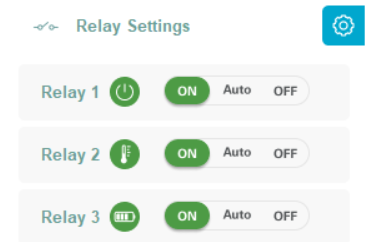
Relay Settings
-
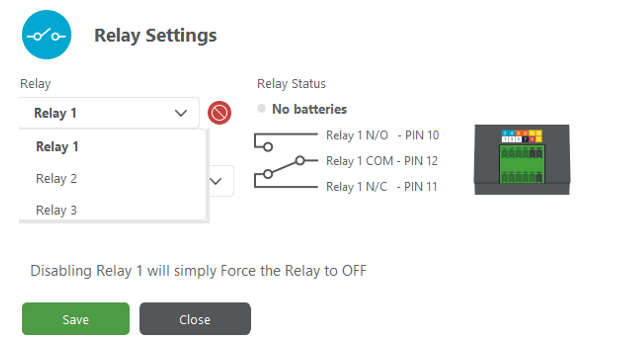
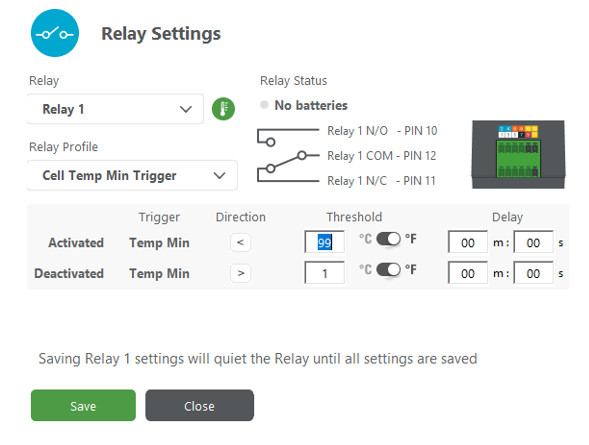
In the Relay Settings, select the Relay, the Relay Profile, and the relay’s Activated and Deactivated parameters.
|
|
|
-
From the Relay list, select the relay to configure.
Among the three relays on the LYNK II, relays 2 and 3 operate as normally open (NO) relays. Relay 1 is configured with both normally open (NO) and normally closed (NC) relays.
-
Relay 1
Pin 10 is Normally Open. When Relay 1 is activated, pin 10 is closed and allows voltage to pass through. Pin 12 is the common leg of the relay.
Pin 11 is Normally Closed. When Relay 1 is activated, pin 11 is opened and does not allow voltage to pass. Pin 11 allows voltage to pass through when Relay 1 is deactivated. Pin 12 is the common leg of the relay.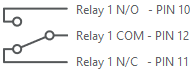
-
Relay 2
Pin 6 is Normally Open. When Relay 2 is activated, the relay is closed and allows voltage to pass through. Pin 8 is the common leg of the relay.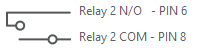
-
Relay 3
Pin 4 is Normally Open. When Relay 3 is activated, the relay is closed and allows voltage to pass through. Pin 2 is the common leg of the relay.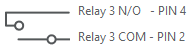
-
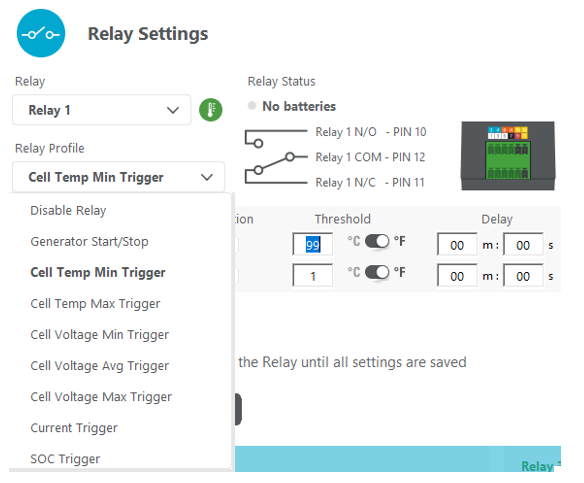
Select one of the pre-configured profiles from the Relay Profile list and follow on-screen prompts to complete the Activated and Deactivated parameters.
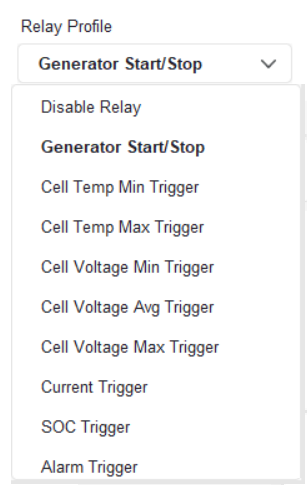
Relay Profile list
-
Click SAVE.
The LYNK II relays can be forced ON or OFF from within LYNK ACCESS to confirm operations. Before operation, use LYNK ACCESS to reset the relay state.
|
NOTICE |
|---|
|
UNEXPECTED EQUIPMENT OPERATION AND DAMAGE Unexpected equipment activity may occur while programming the relays.
Failure to follow these instructions may result in equipment damage. |
|
NOTE |
|---|
|