This guide is intended for qualified service professionals. It covers common fault types, diagnostic strategies, and required clearing methods for faults and warnings in the AES-CAB system.
🔴 Critical Faults (Manual or Power Cycle Reset Required)
These faults typically shut down the PCS or system. Immediate attention is required.
|
Fault |
Cause |
Clearance Method |
Action |
|---|---|---|---|
|
AC Bus Short Circuit |
Fault in AC cable or PCS component |
Manual reset / Repair (FM) |
Inspect AC wiring, call support if persistent. |
|
DC Input Overvoltage |
Battery voltage exceeds max allowable |
Power Cycle (FP) |
Check cluster voltage, verify battery configuration. |
|
DC Input Undervoltage |
Battery voltage below min threshold |
Power Cycle (FP) |
Check battery charge state or replace damaged battery packs. |
|
Emergency Shutdown (EPO Triggered) |
EPO circuit triggered |
Manual reset (FM) |
Inspect and reset EPO circuit. |
|
Fan Failure (Internal or External) |
Fan not operating |
Manual (FM) |
Verify terminal connections; replace fan if failed. |
|
Internal Over-Temperature |
Inverter overheated |
Manual reset (FM) or contact OEM |
Check airflow, clean or replace fans. |
|
Lightning Protection Fault (AC/DC) |
Surge protection devices failed |
Manual (FM) |
Inspect SPD modules and terminal tightness. |
|
Module Over-Temperature |
IGBT module temperature too high |
Manual (FM) |
Inspect module cooling, check heat sink contact. |
|
Soft Start Failure |
Pre-charge circuit failure |
Manual (FM) |
Power down, inspect relay and board. |
🟡 Self-correcting or Low-priority Faults
These faults are automatically cleared once conditions normalize. No manual intervention is typically required.
|
Fault/Warning |
Cause |
Clearance Method |
Action |
|---|---|---|---|
|
AC Bus Overvoltage / Under voltage |
Grid voltage out of range |
Auto (FA) |
Wait for grid normalization. |
|
AC Frequency Over/Under |
Grid frequency deviation |
Auto (FA) |
Wait for frequency to stabilize. |
|
DC Bus Overvoltage/Under voltage |
DC link cap voltage out of range |
Auto (FA) |
Monitor inverter, battery voltage. |
|
Frequent Start-Stop |
Repeated PCS cycling |
Auto or Manual |
Review EMS scheduling strategy. |
|
Low Battery Energy |
BMS low SOC trigger |
Auto (FA) |
Charge battery |
|
Parameter Mismatch |
Inverter config issue |
Auto (FA) |
Review and correct parameter settings |
🔁 Fault Clearing Codes
-
FA: Fault + Auto-clear
-
FM: Fault + Manual Clear
-
FP: Fault + Requires Power Cycle
-
AA: Alarm + Auto-clear
-
WA: Warning + Auto-clear
-
WM: Warning + Manual Clear
⚙️ Installer Troubleshooting Steps
-
Check Indicators
-
POWER OFF: No input power — verify AC and DC inputs
-
RUN OFF: Inverter not running — check DC start voltage and AC sync
-
FAULT ON: Persistent issue — check logs and LCD for fault code
-
-
Initial Checks
-
Verify correct DC battery voltage
-
Check AC phase voltage and neutral wiring
-
Inspect ground connections
-
Confirm communication (BMS ↔ PCS, EMS ↔ PCS)
-
-
Clear Alarms
-
Use HMI/web interface to view current alarms
-
For manual reset, issue reset via software or hardware control
-
For power cycle faults, fully shut down the inverter (AC/DC), wait 5 minutes, restart
-
-
Document Fault
-
Note the time, site, inverter serial, system state, and capture screenshots if possible
-
Export logs from the web interface when needed
-
-
Call Support When:
-
Hardware damage is suspected (fan failure, lightning arrestor, internal over-temp)
-
Fault recurs more than 5–10 times per day
-
Communication to BMS or EMS consistently fails
-
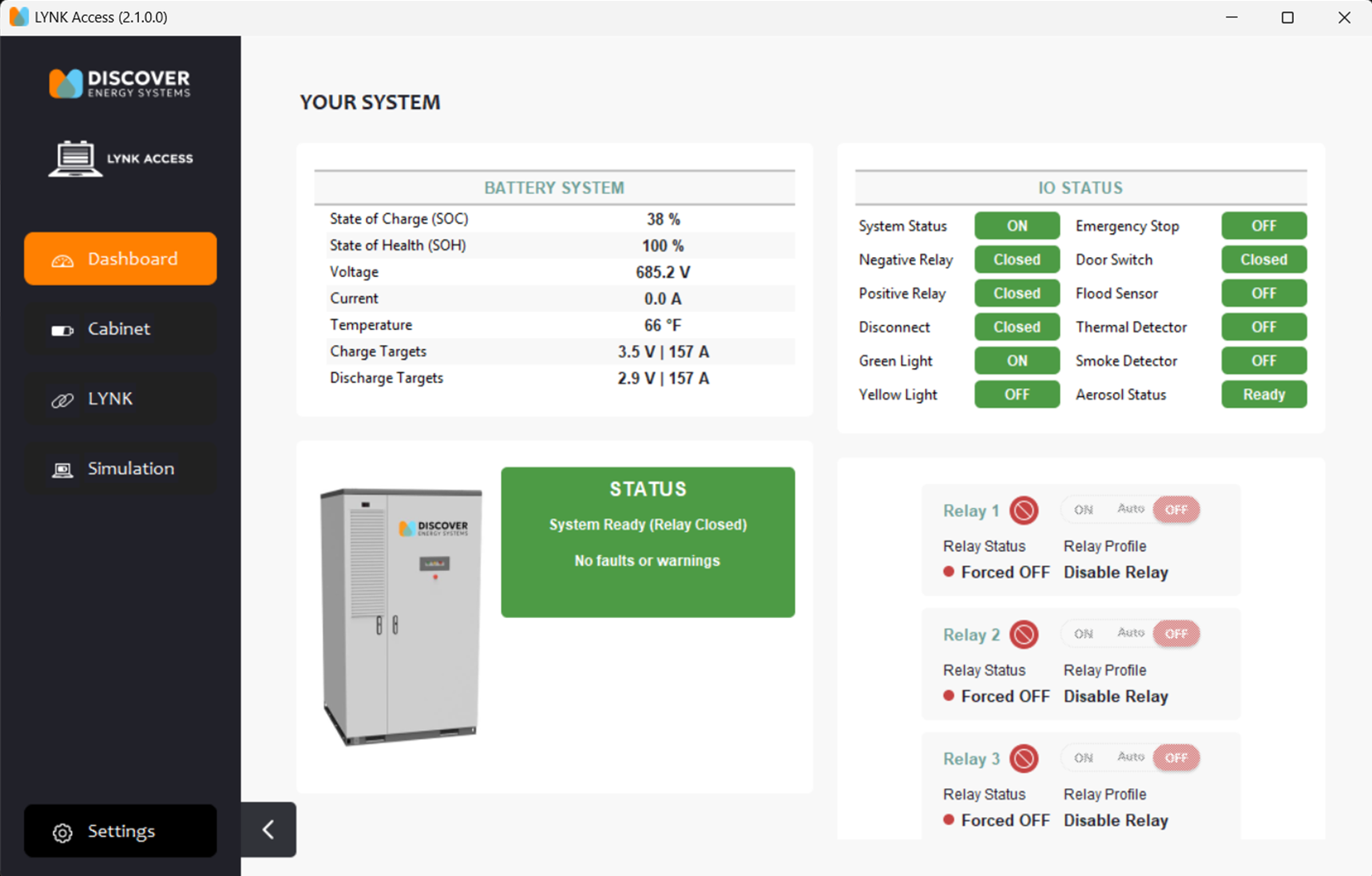
LYNK ACCESS Views
How the system dashboard in LYNK ACCESS should look when everything is working correctly.
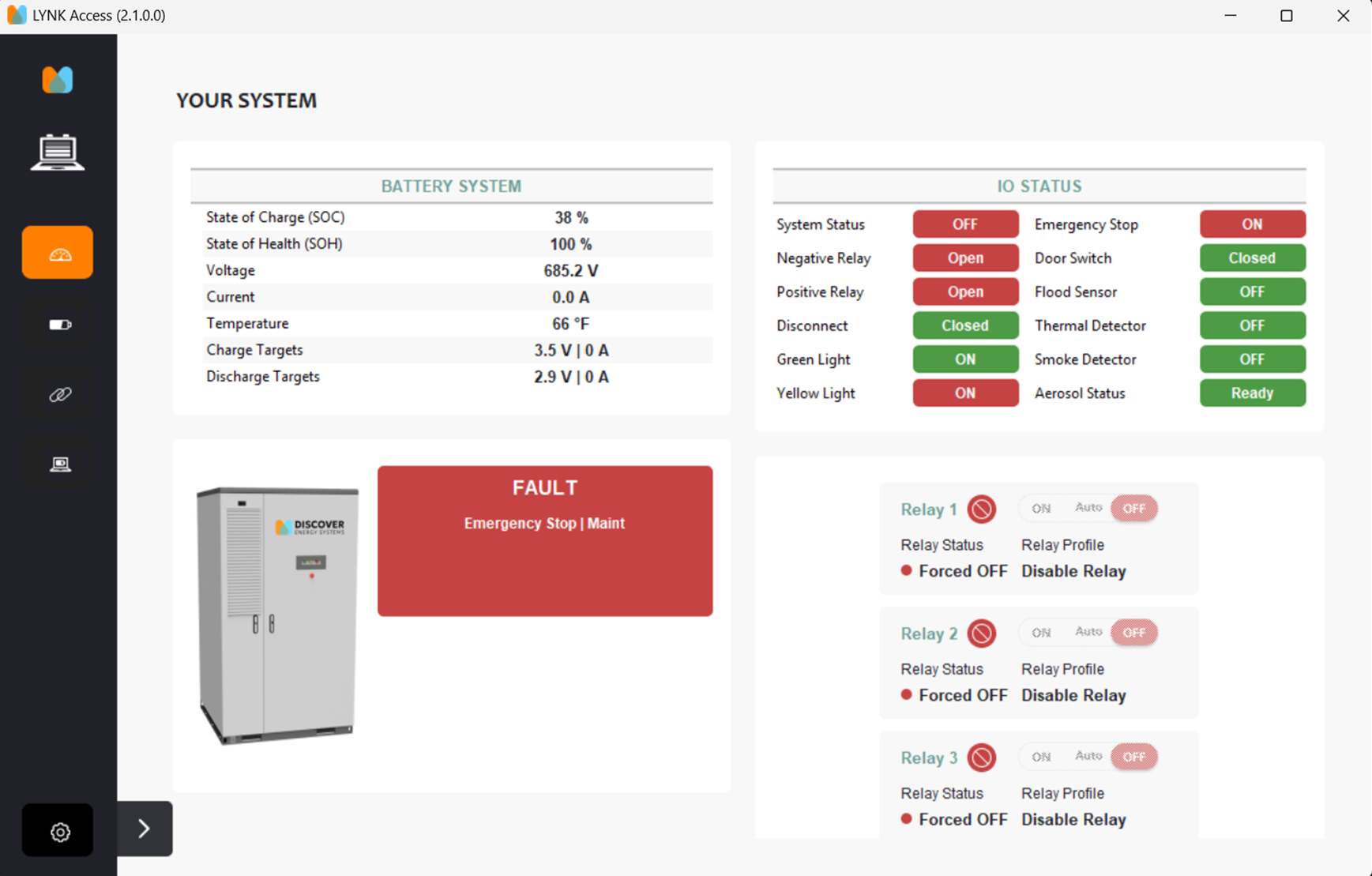
System Dashboard when the E-Stop button is depressed and activated.
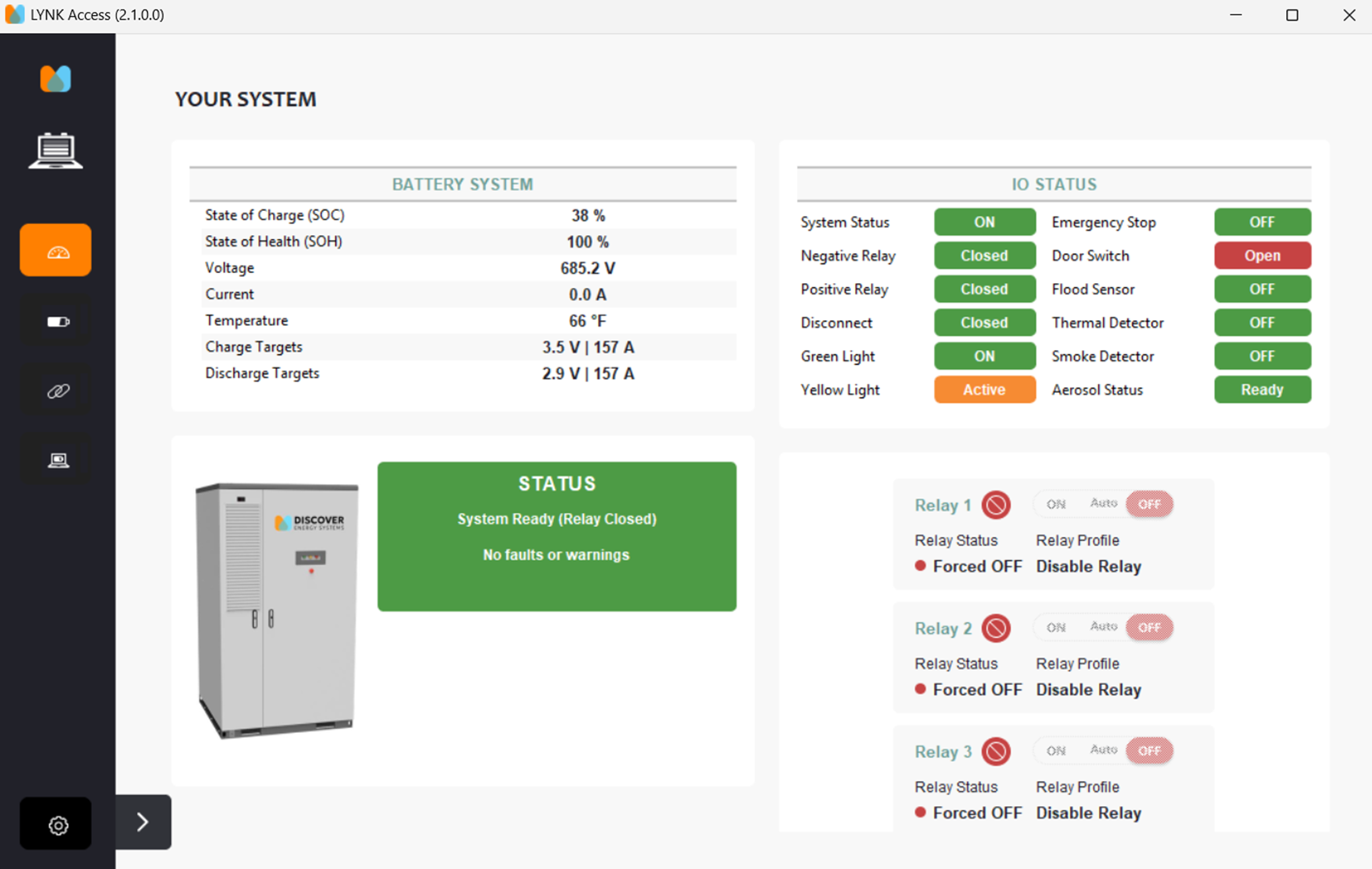
Error if the door is not closed properly or the door switch mounting bracket is bent and not allowing the switch to be depressed.