
The HELIOS ESS supports closed-loop communication with the Deye inverters listed in the Closed-Loop Communication with Inverters table in the HELIOS ESS Closed-Loop Communication topic.
To enable communication between the inverter and batteries:
-
Connect a CAT6 or higher straight cable from the HELIOS ESS COM2 port to the
CAN port of the Deye inverter-charger.
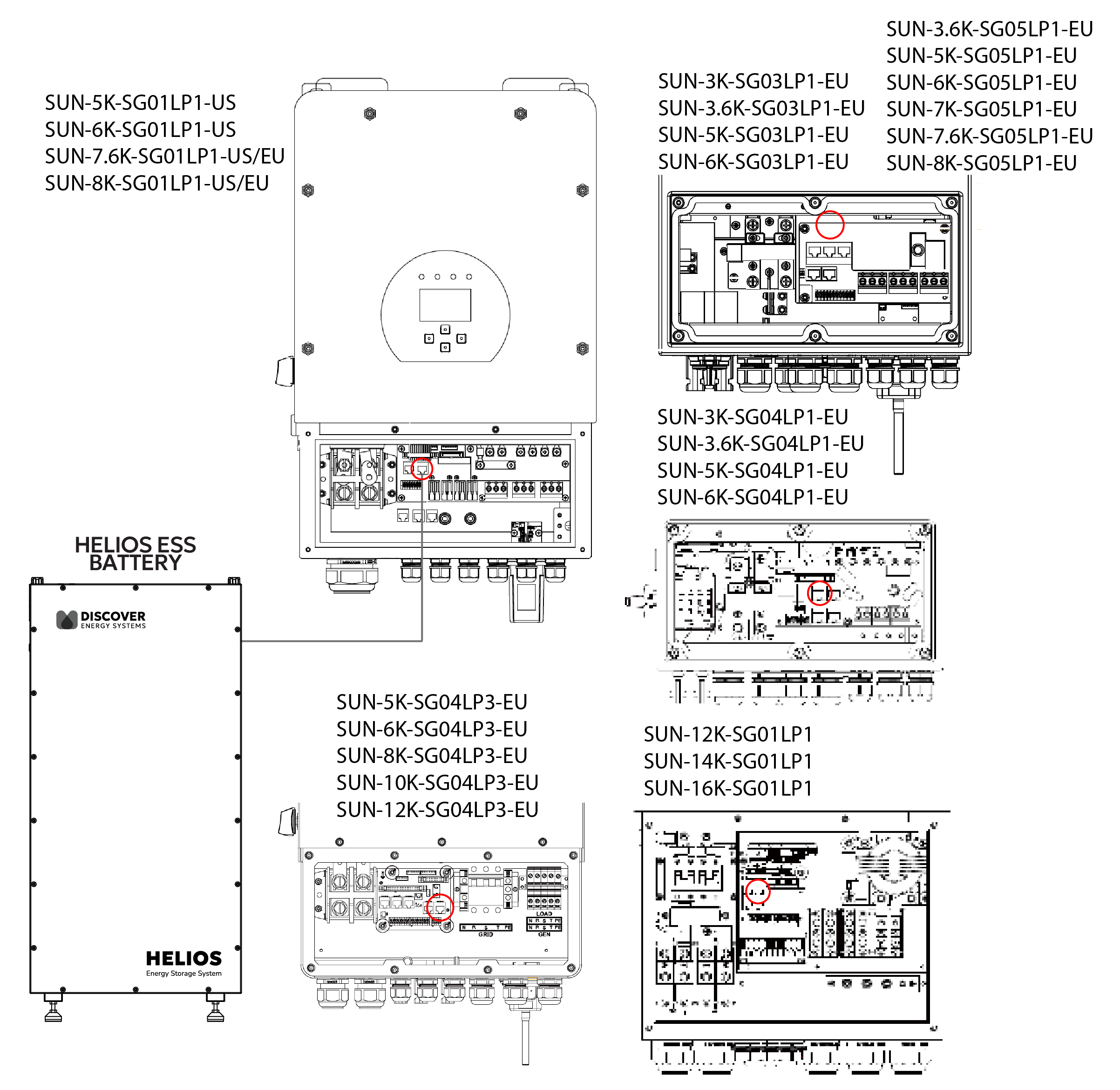
Deye CAN Connection
-
Configure the Inverter-Charger
-
Using the touch screen and keypad on the inverter-charger, navigate to Main
Screen > System Setup > Battery Setting. -
Specify the settings according to the instructions in the tables that follow to stop
power conversion when a closed-loop communication error occurs. -
Touch the Up and Down arrows to scroll through the screens. Touch the checkmark
button to save changes.
-
-
Exit and restart the inverter-charger.
|
NOTE |
|---|
|
|
NOTE |
|---|
|
Depending on your system and particular use case, there may be other settings that require configuration. Refer to the inverter manual for information on these settings. |
Main Screen > System Setup > Battery Setting
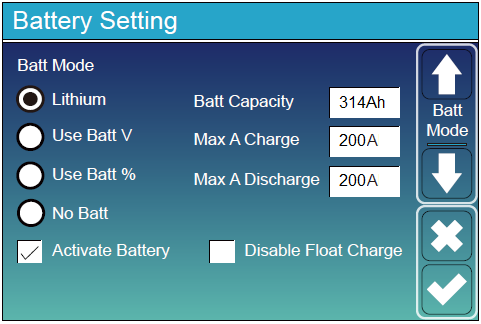
Battery Setting - Deye Closed-loop Charge Settings
|
Battery Setting (page 1) |
|
|---|---|
|
Batt Mode |
Select the Lithium option to use the battery BMS. |
|
Activate Battery |
Select this check box. |
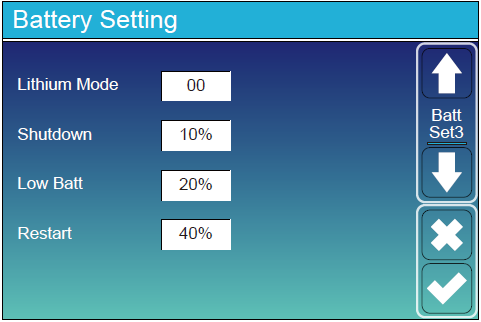
Battery Setting - Deye Closed-Loop Charge Settings
|
Battery Setting (page 3) |
|
|---|---|
|
Lithium Mode |
Set this value to 00 (Pylon). |
|
Shutdown |
Adjust values to support the use case or keep the original values. |
|
Low Batt |
|
|
Restart |
|
Main Screen > System Setup > Advanced Function
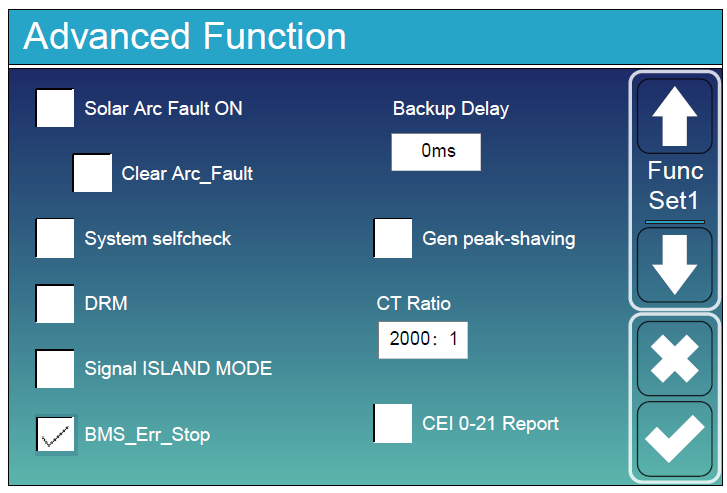
Advanced Function - Deye Closed-Loop Setting
|
Advanced Function |
|
|---|---|
|
BMS_Err_Stop |
Select this check box to cause the inverter-charger to stop operating if there is a communication error. |