
|
|
|---|
|
ELECTRICAL HAZARD
Failure to follow these instructions may result in death or serious injury. |
|
Cabinet ID: |
|
|
Technician: |
|
|
Date: |
|
External Visual Inspection
|
Task |
Pass/Fail |
Notes |
|---|---|---|
|
Confirm there is no deformation, scratches, rust, other defects in appearance |
☐ / ☐ |
|
|
Confirm there is no abnormality at welded seams, no peeling of paint, bubbles, and the color is consistent.
|
☐ / ☐ |
|
Internal Visual Inspection
✅ Fire Suppression System
|
Task |
Pass/Fail |
Notes |
|---|---|---|
|
Confirm the smoke sensor, temperature sensor, and fire extinguishing device (Aerosol) are mounted securely and the tightening marks drawn with a marker for the screws have not shifted.
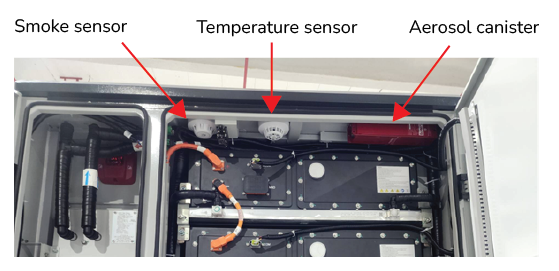
Fire Suppression System |
☐ / ☐ |
|
✅ Cable Connections
|
Task |
Pass/Fail |
Notes |
|---|---|---|
|
Check that the DC cables are properly connected.
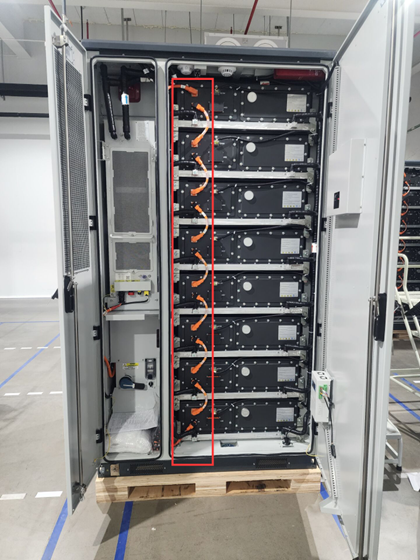
DC cable connections |
☐ / ☐ |
|
|
Check that the communication cables are properly connected.
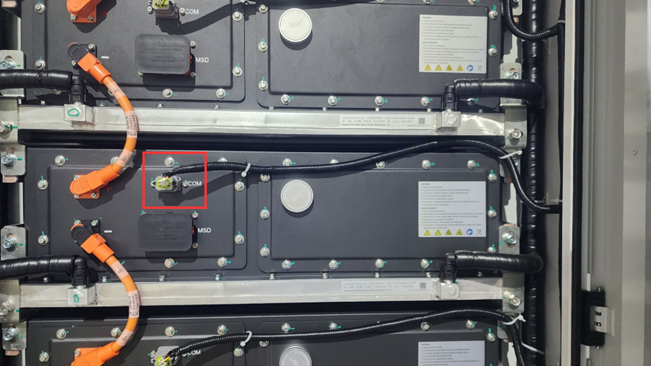
Communication Cable Connections |
☐ / ☐ |
|
|
Check that the auxiliary power cables are properly connected.
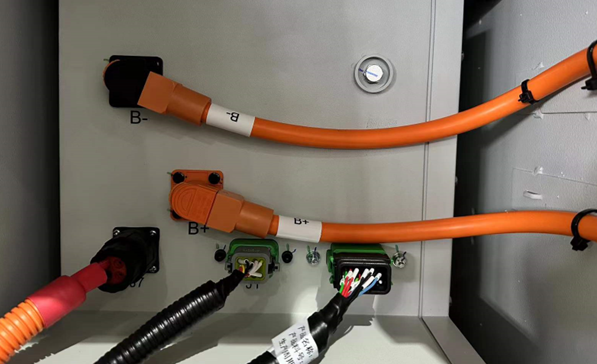
Auxiliary Power Cable Connections |
☐ / ☐ |
|
✅ Manual Service Disconnect (MSD)
|
Task |
Pass/Fail |
Notes |
|---|---|---|
|
Visually inspect the MSD (Manual Service Disconnect) of each battery pack. 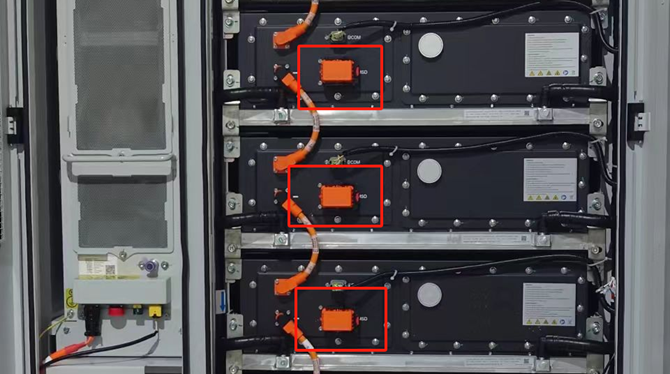
|
☐ / ☐ |
|
✅ Insulation test
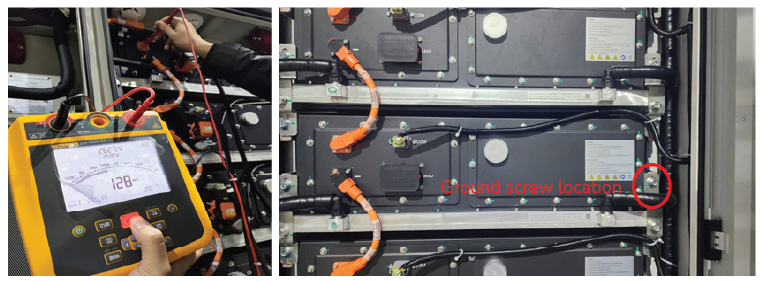
Insulation Testing
|
Task |
Pass/Fail |
Notes |
|---|---|---|
|
Check the positive insulation resistance value
|
☐ / ☐ |
|
|
Check the negative insulation resistance value
|
☐ / ☐ |
|
✅ High Voltage Box
|
Task |
Pass/Fail |
Notes |
|---|---|---|
|
Inspect the HVB for physical damage, corrosion, deformation, and signs of overheating. |
☐ / ☐ |
|
|
Confirm all cables are securely fastened. |
☐ / ☐ |
|
|
NOTE |
|---|
|
Remove and inspect the High Voltage Box every 5 years, only when replacing the UPS battery. |
-
Power Supplies
-
UPS Battery
-
350 A Fuses
-
BCU
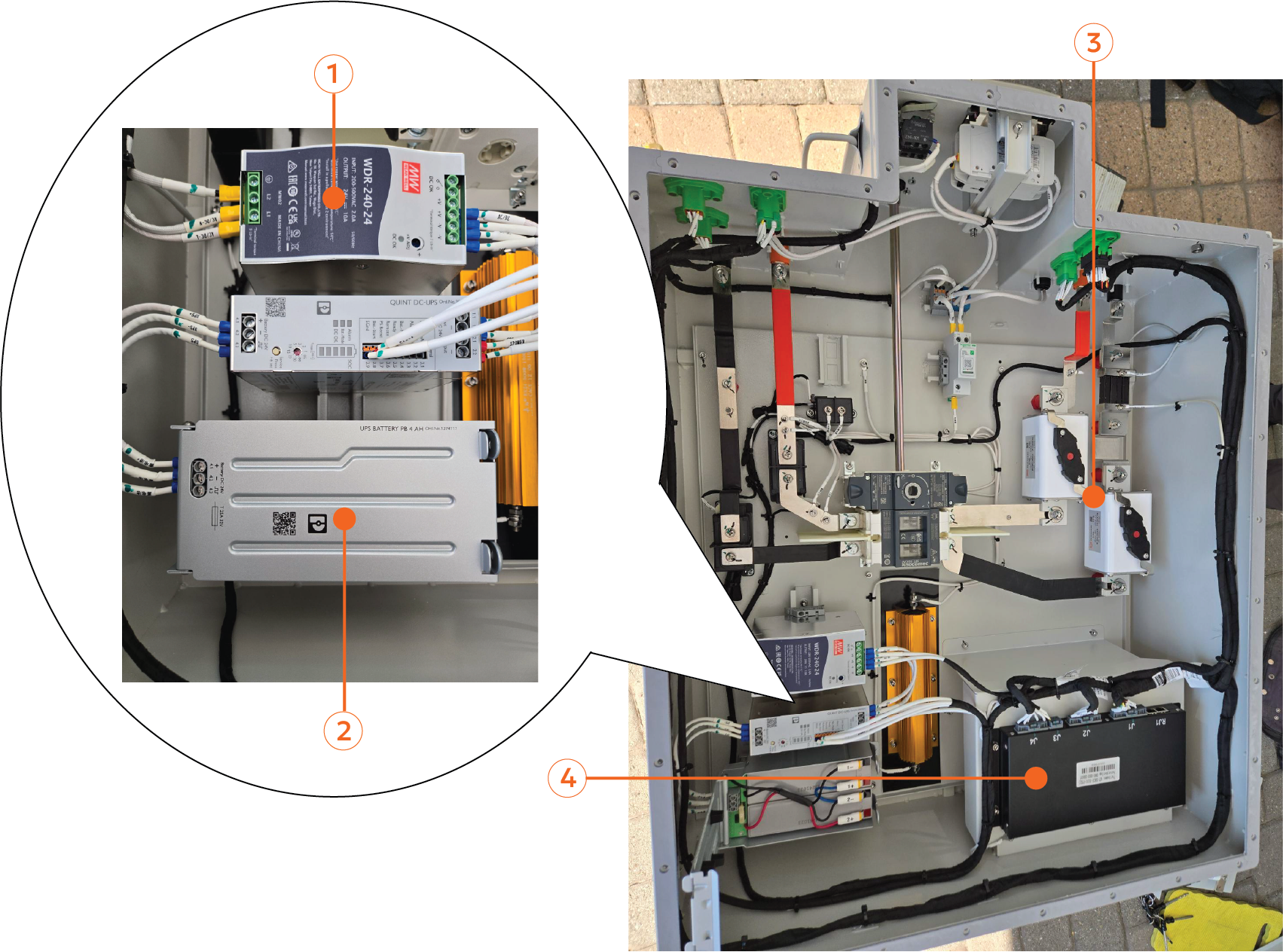
|
Task |
Pass/Fail |
Notes |
|---|---|---|
|
|
|
|
|
☐ / ☐ |
|
|
☐ / ☐ |
|