Ports, Buttons, LEDs, and Mounting Hold Downs
|
|
NAME |
DESCRIPTION |
|---|---|---|
|
1 |
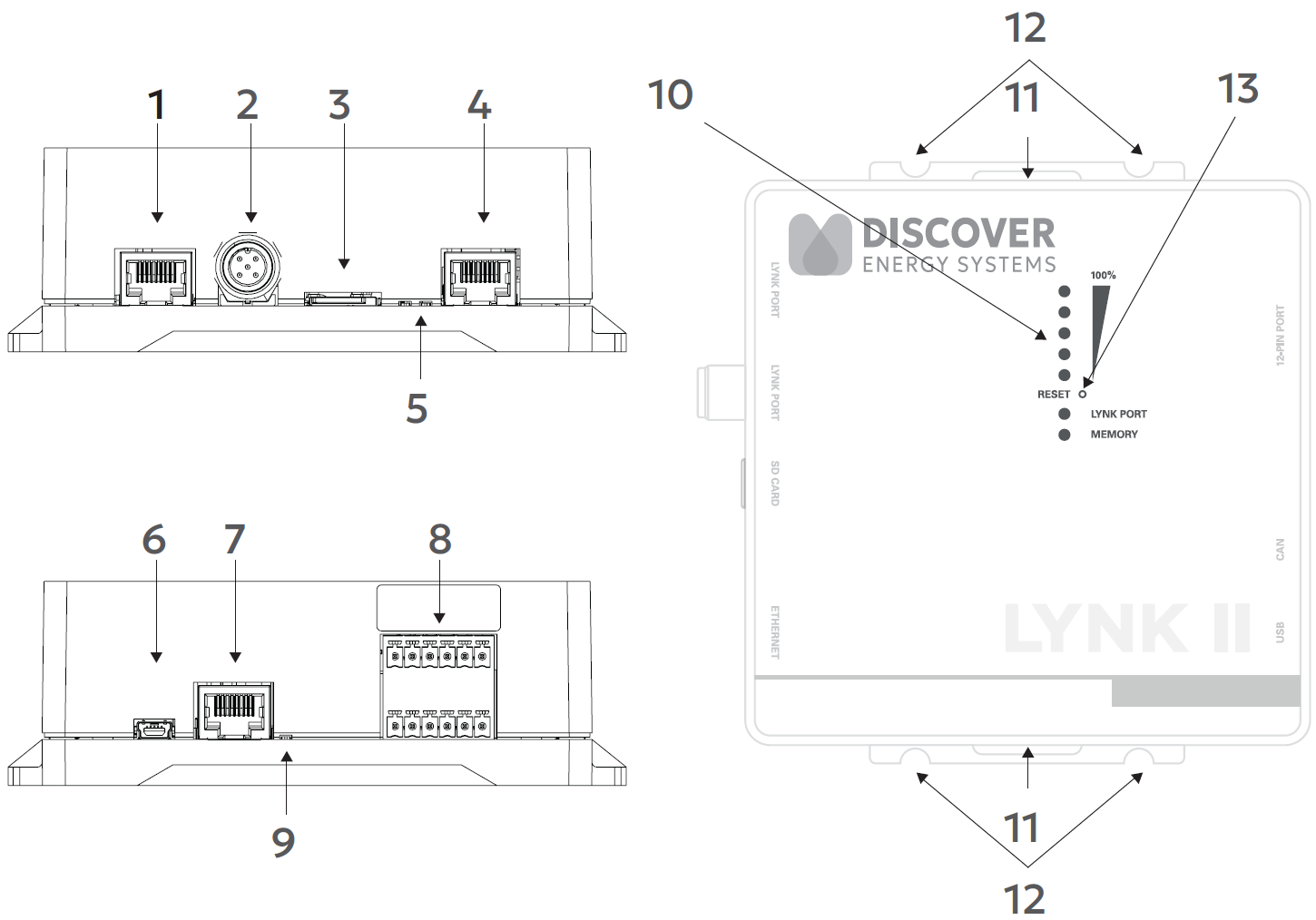
LYNK Port (AEbus) |
RJ45 connection for LYNK Network communication input. Termination is configurable. (Terminated by Default) |
|
2 |
IEC M12 5-pin connector for LYNK Network communication input. Termination is configurable. (Terminated by Default) |
|
|
3 |
Mini SD Card Slot |
Used for extended battery data logging (128 GB) and updating battery and LYNK II device firmware. |
|
4 |
Ethernet Port |
Used for LYNK CLOUD communication. |
|
5 |
Indicates communication activity. |
|
|
6 |
USB Mini Port |
USB device port to connect with LYNK ACCESS software on Windows 10 / 11. |
|
7 |
CAN Out |
RJ45 connection used for CAN communications. Termination is configurable. |
|
8 |
Connections are used by the relays, CAN Out, and supply power. |
|
|
9 |
Indicates communication activity. |
|
|
10 |
Five LEDs indicate the State-of-Charge level. LYNK Port LED indicates the status and activity on the LYNK Port (RJ45 or 5-pin DIN connector). Memory LED indicates SD Card status. |
|
|
11 |
Hold-Down Points |
Hold-down points for mounting the device with straps. |
|
12 |
Mounting Slots |
Slots for mounting the device with screws or bolts. |
|
13 |
Pinhole button that you press to reset the LYNK II. |