
The HELIOS ESS supports closed-loop communication with the Solis inverters listed in the Closed-Loop Communication with Inverters table in the HELIOS ESS Closed-Loop Communication topic.
If necessary, first configure the Solis inverter-chargers to operate in parallel by establishing the inverter-charger master/slave relationships and phase assignments before setting the battery operation parameters. Confirm each inverter-charger operates normally, one by one, before initiating full system operation.
|
NOTE |
|---|
|
To enable communication between the inverter and batteries:
-
Connect a CAT6 or higher straight cable from the HELIOS ESS COM2 port to the BMS port of the Solis inverter-charger.
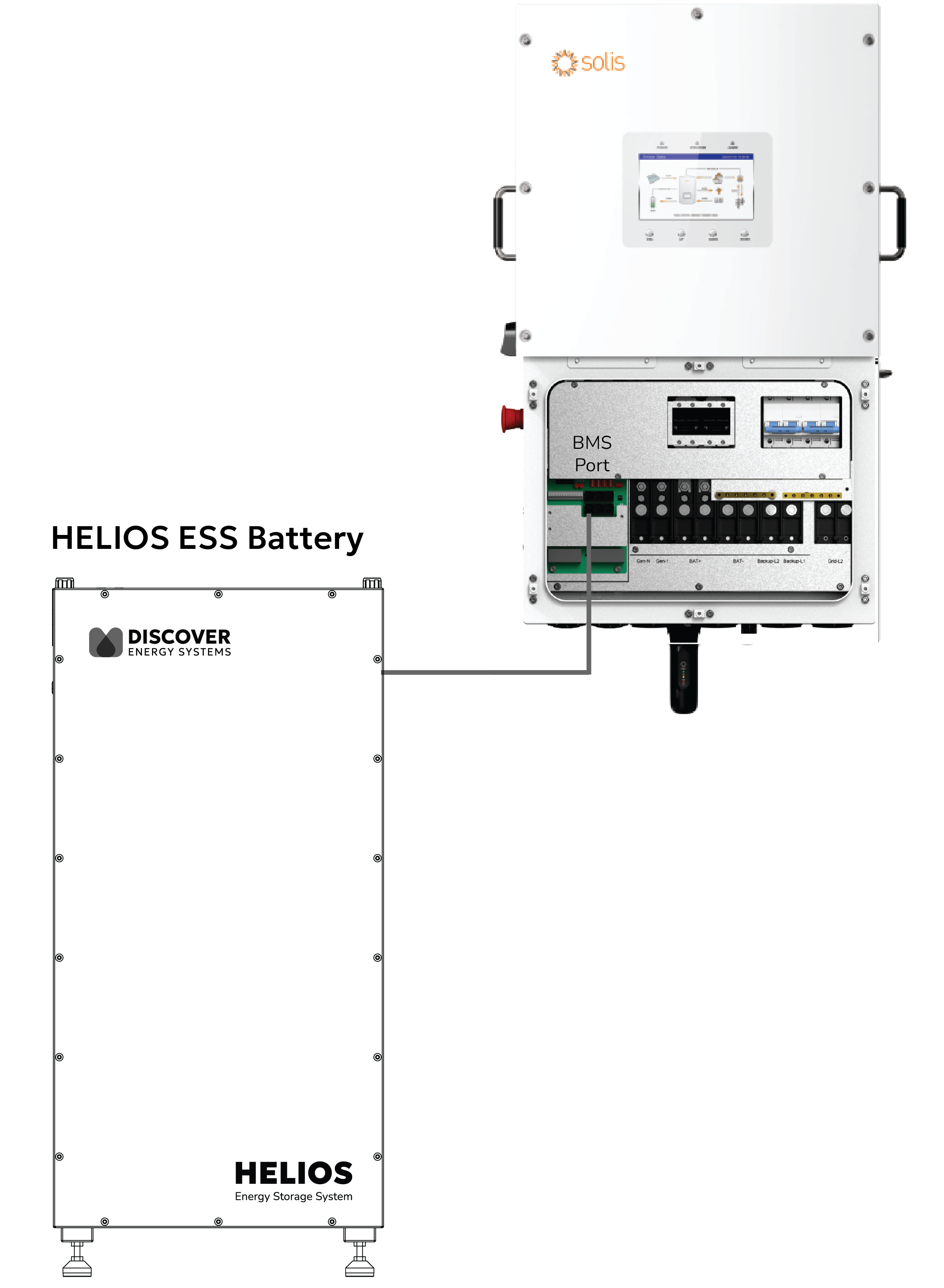
Solis BMS Connection
-
Set the Discover Lithium batteries to ON and set the inverter to ON.
-
Configure the Inverter-Charger.
Install the Solis Cloud app to connect your phone to the Solis inverter-charger. -
Turn on Bluetooth on your phone and open the SolisCloud app.

SolisCloud app
-
Tap Service > Local Debugging > Connect with Bluetooth.
-
Upgrade the firmware on all paralleled Solis inverter-chargers.
-
In the bottom menu bar, select Setting > Device Upgrade.
-
Upgrade the HMI and DSP.
-
|
NOTE |
|---|
|
All Solis inverters must be use the same firmware version to operate normally. |
-
After upgrading the firmware, in the phone app tap Quick Setting.
-
In the Battery page, set the following then tap Next Step.
-
Battery Type = Lithium Battery
-
Battery Model = Lithium battery LV (Pylon)
-
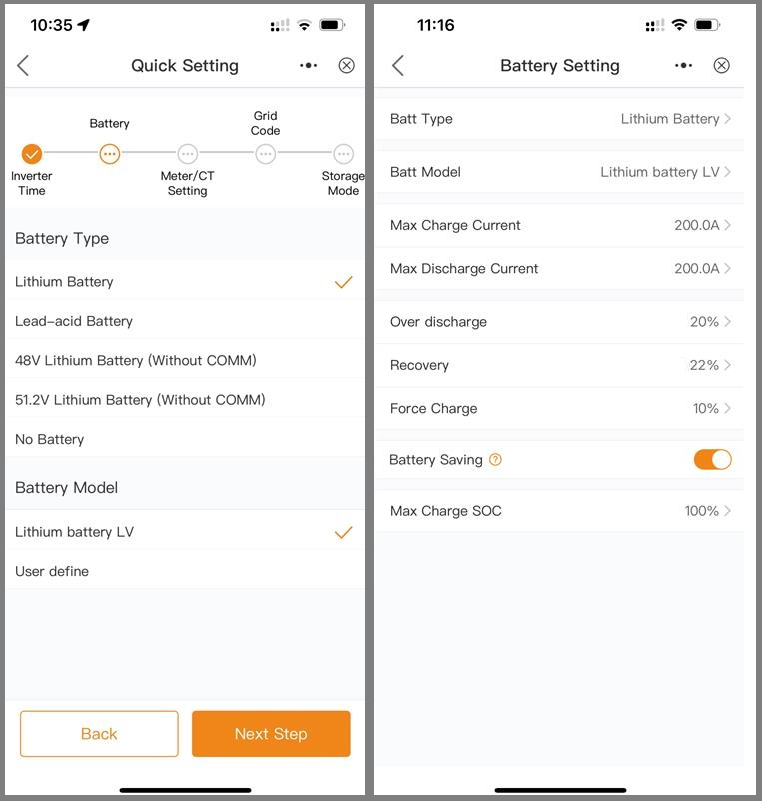
Lithium Battery Setting
-
Set other inverter-charger settings as required by your system.
For instructions on configuring inverter-charger settings, refer to the Solis manual. -
After all the settings have been configured, check the overview of the system.
-
Follow all manufacturer instructions to power up the inverter DC switch, and turn ON the batteries and other peripheral equipment.
-
Use the overview to confirm the battery SOC, battery communications, grid, and load.
-
Review and resolve any generated alarms.
-
At this point, if the system is grid-connected, AC grid power is turned on.
-
Exit the app once the system is running and all checks are complete.
|
NOTE |
|---|
|
Depending on your system and particular use case, there may be other settings that require configuration. Refer to the inverter manual for information on these settings. |