
Dynamic Voltage
Most inverter protocols use dynamic voltage to adjust charge settings as it approaches a full charge (100% SOC). However, some newer inverters lack accuracy in tracking shifting charge voltage (CV) values.
When the inverter’s CC/CV control reacts too slowly or too aggressively to changing voltage targets, it can momentarily drive the DC bus above the requested CV value, producing over-voltage alarms and unstable charging behavior, even though the battery is operating normally.
For those experiencing these charge issues, you can use LYNK ACCESS 2.6.0 or later, LYNK II Gateway firmware 2.5.0 or later, and HELIOS ESS firmware 4.10.0 or later to change the charge settings to Dynamic Current.
Change to Dynamic Current
To eliminate overshooting the target voltage, the LYNK II Gateway’s low-voltage protocols now support Dynamic Current control, which replaces voltage-based control when operating at a higher SOC. When you use dynamic current control, instead of tracking a shifting CV target, the inverter follows a stable, battery-defined current limit that the inverter can regulate accurately. This removes reliance on the inverter’s CC/CV voltage loop, prevents DC-bus overshoot, and reduces over-voltage alarms.
Configure HELIOS ESS to Use Dynamic Current
-
Plug your computer into the battery’s USB-C port (or LYNK II Gateway) and open LYNK Access.
-
Update LYNK ACCESS to 2.6 or later.
-
Update LYNK II firmware to 2.5 or later.
-
Update the battery firmware.
Download the latest firmware from the Discover website http://discoverenergysys.com.
-
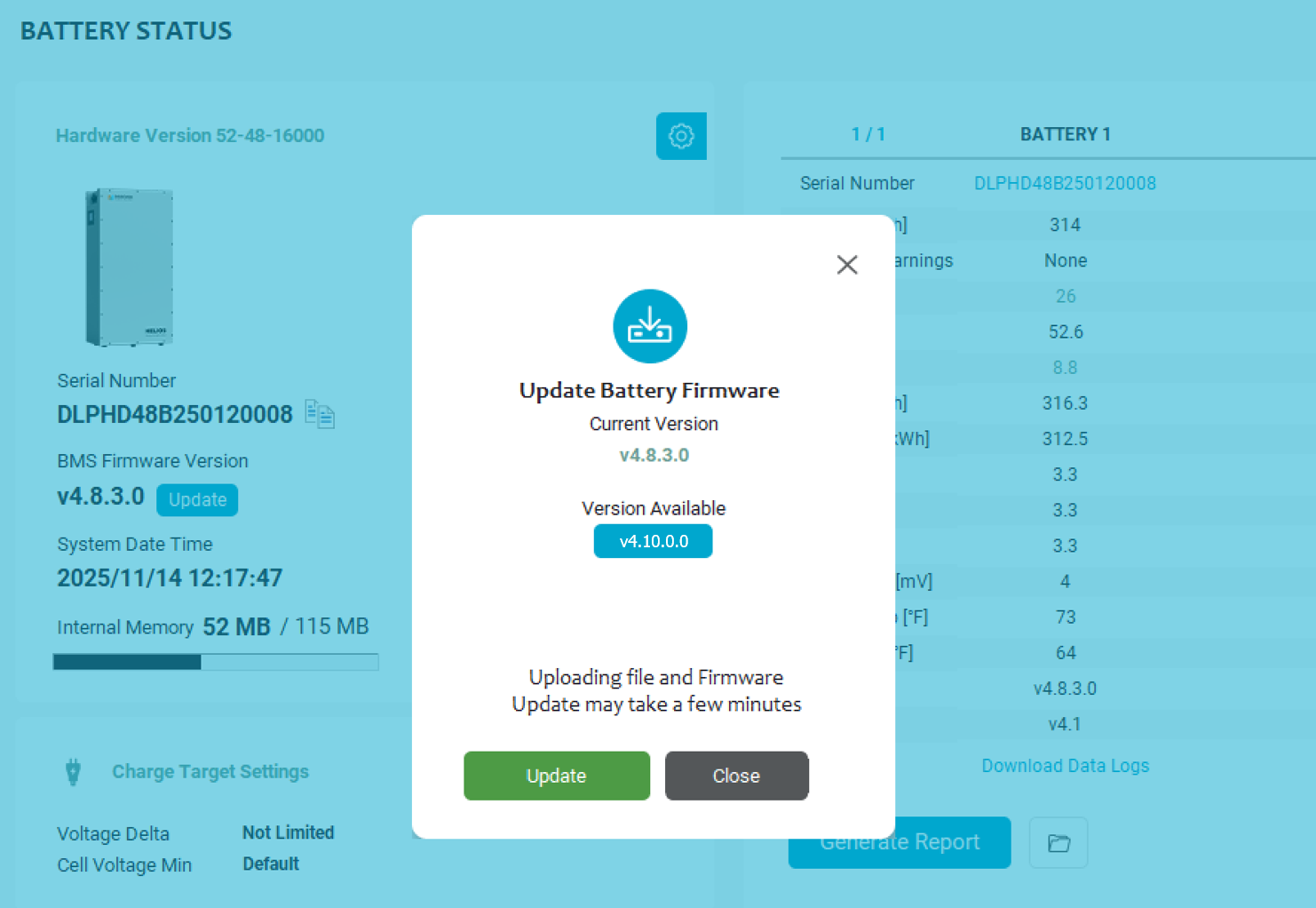
-
After selecting a low-voltage protocol in the CAN Settings, set the Charge Target Settings as follows.
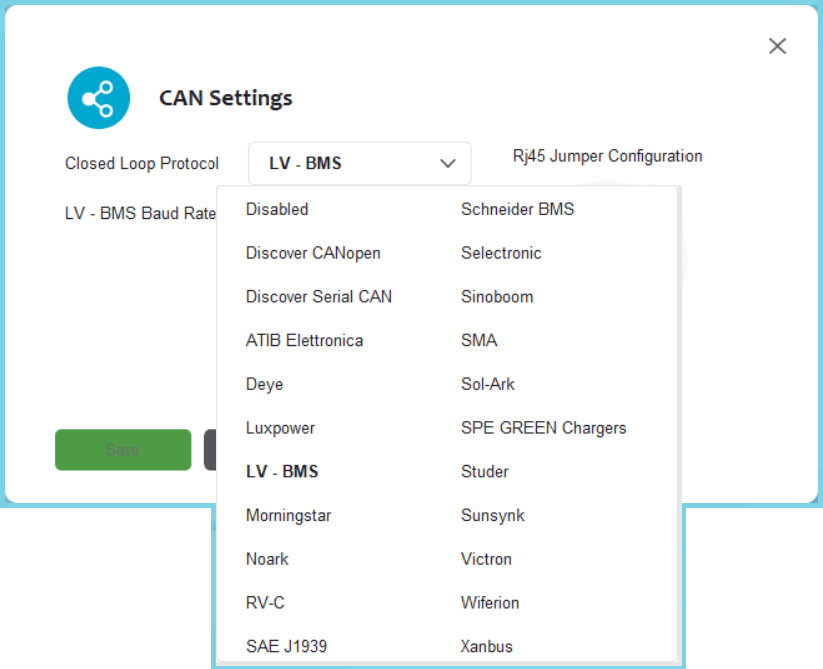
|
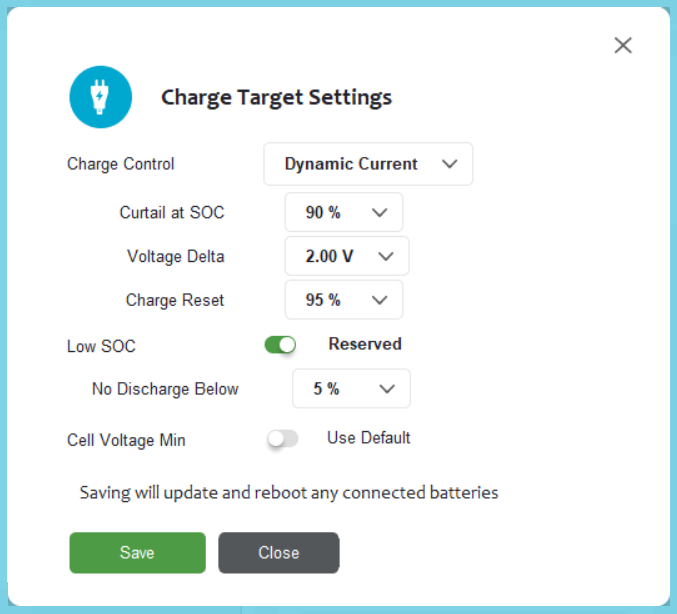
|
|
Setting |
Value |
Comments |
|---|---|---|
|
Charge Control |
Dynamic Current |
The default values for Dynamic Current apply to most applications. Customize these settings only with guidance from Discover Energy. |
|
Curtail at SOC |
90% |
SOC when charging slows down or stops. Use 80-85% for high charge current, and up to 95% for lower charge current. |
|
Voltage Delta |
2.00 V |
Controls how quickly the charge current tapers, based on the difference between the pack voltage and the algorithm’s target voltage (56.0 V). Higher values produce a slower current-taper response. |
|
Charge Reset |
95% |
Defines the SOC hysteresis used to restart charging after a full charge cycle. The system resumes charging once the battery falls below this SOC threshold to prevent repeatedly cycling at the top of the charge. |
|
LV-BMS Low SOC |
Reserved |
Creates a charge reserve on the battery to prevent deep-discharge events that would otherwise require manual recovery. |
|
No Discharge Below |
5% |
-
Click Save.