
LYNK ACCESS software for 64-bit Windows 10 / 11 is required to configure LYNK II devices for CAN communication with compatible external devices such as inverters, chargers, and motor controllers.
-
Download the current version of LYNK ACCESS software from the Discover Energy Systems website to obtain the most up-to-date suite of available device configurations.
-
Connect the 64-bit Windows 10 / 11 device running LYNK ACCESS software to the USB port on LYNK II using a USB cable with a Type-B mini plug.
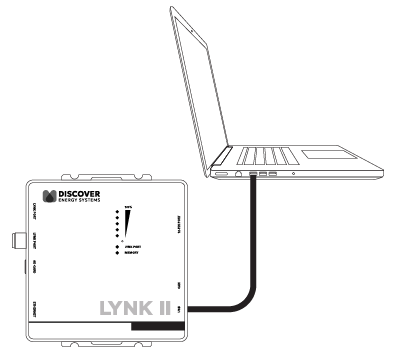
LYNK II USB mini Type-B Connection
|
NOTE |
|---|
|
A powered USB hub may be required as a source of power to operate LYNK II. |
-
Start the LYNK ACCESS software program. LYNK II configurations and settings are found by selecting the LYNK tab.
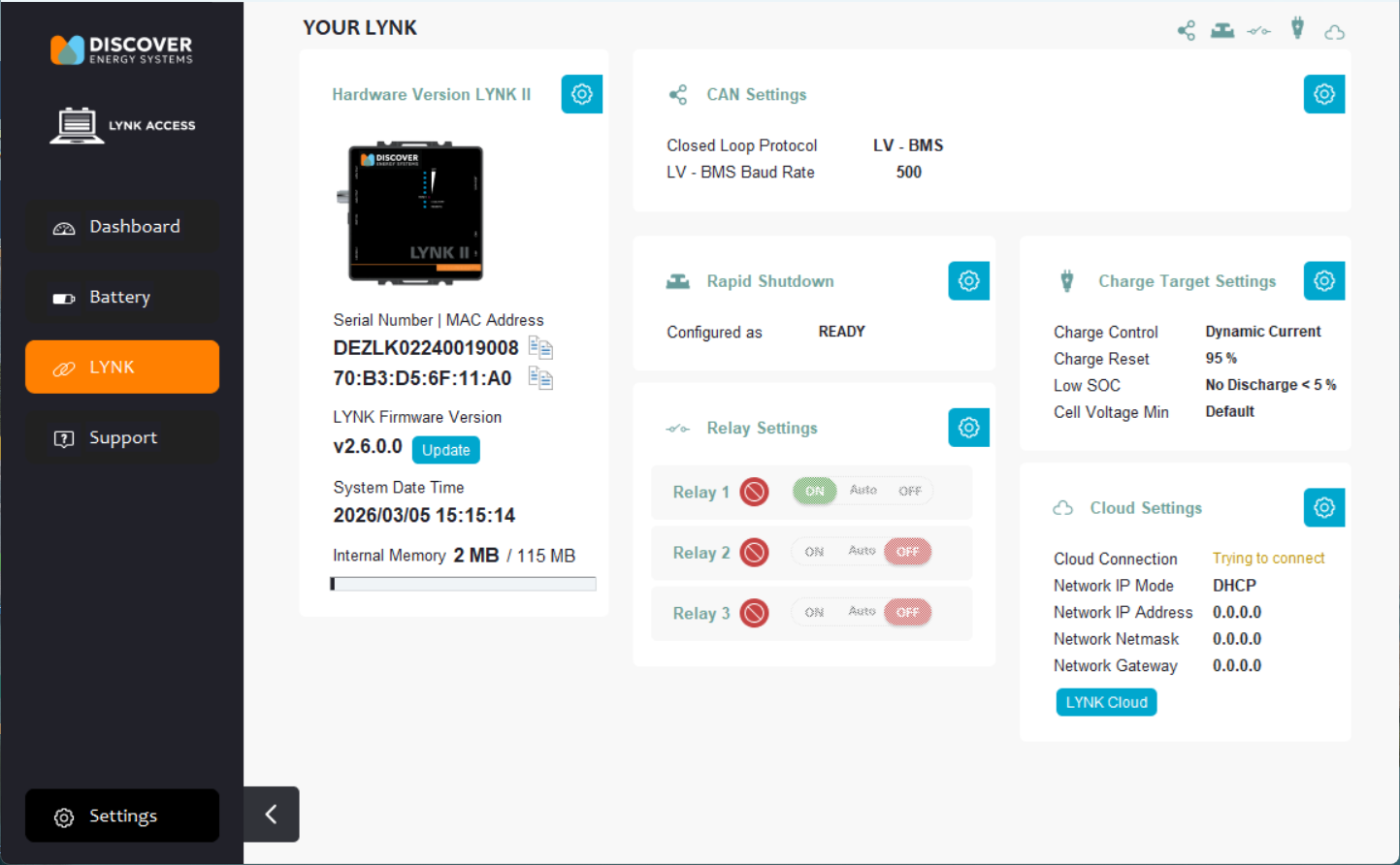
Settings screen for Low Voltage Batteries |
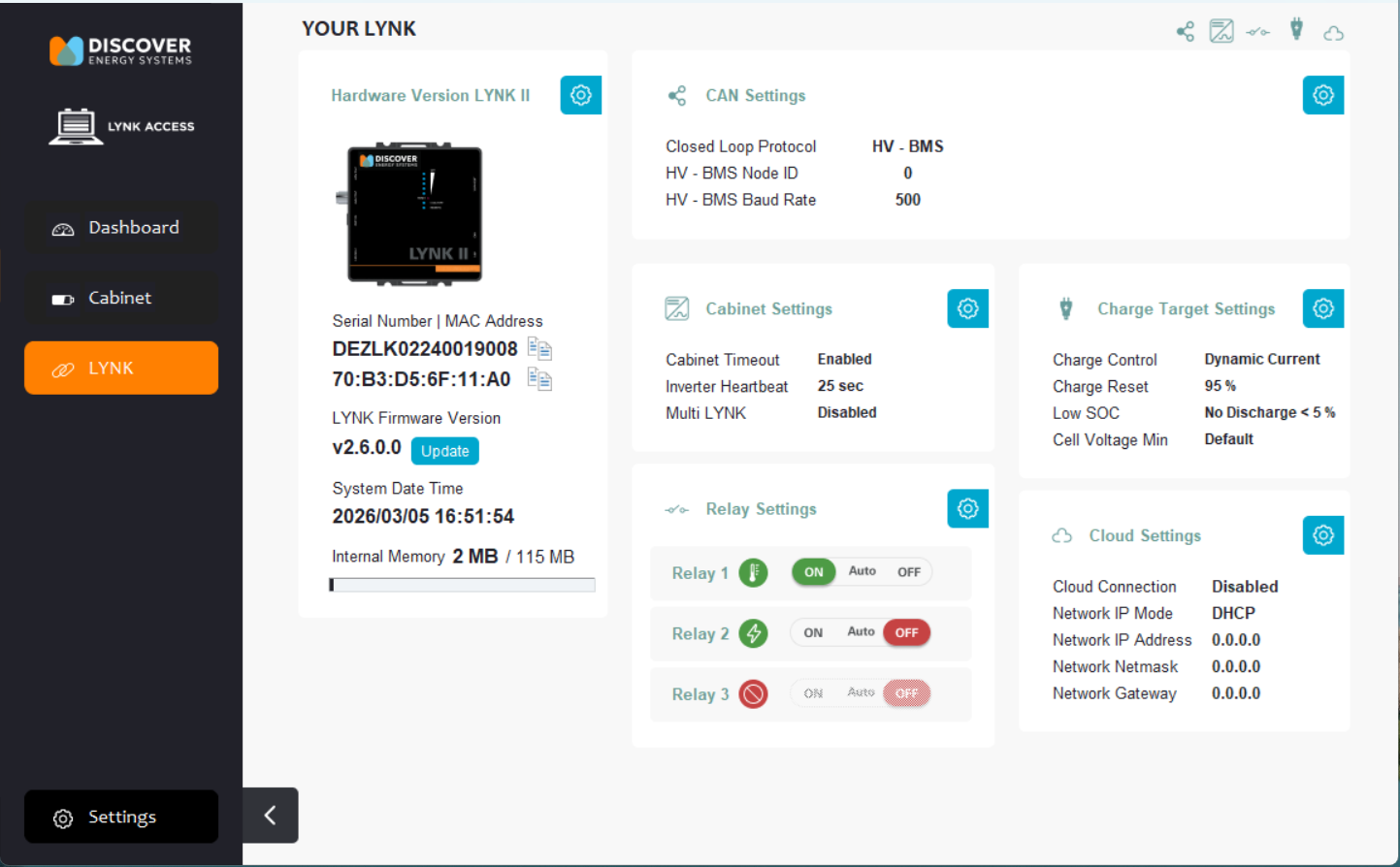
Settings screen for High Voltage Batteries |
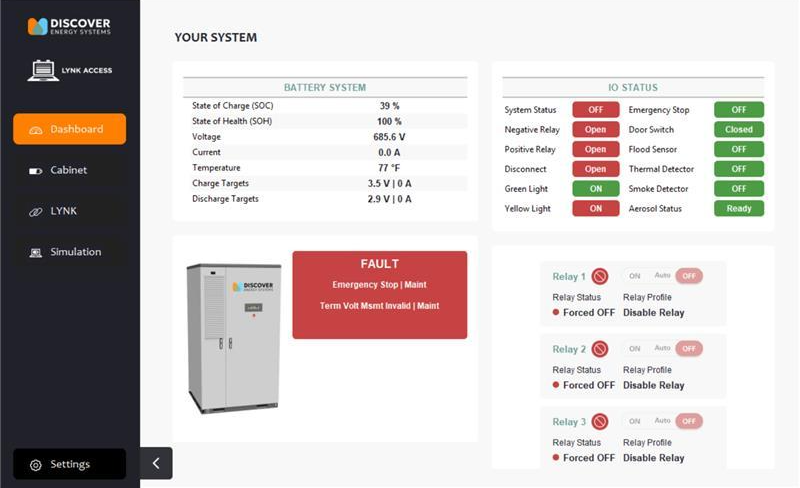
LYNK II configuration and settings screen for AES Cabinet