
The LYNK II Gateway and a Normally Open switch are required for this E-Stop.
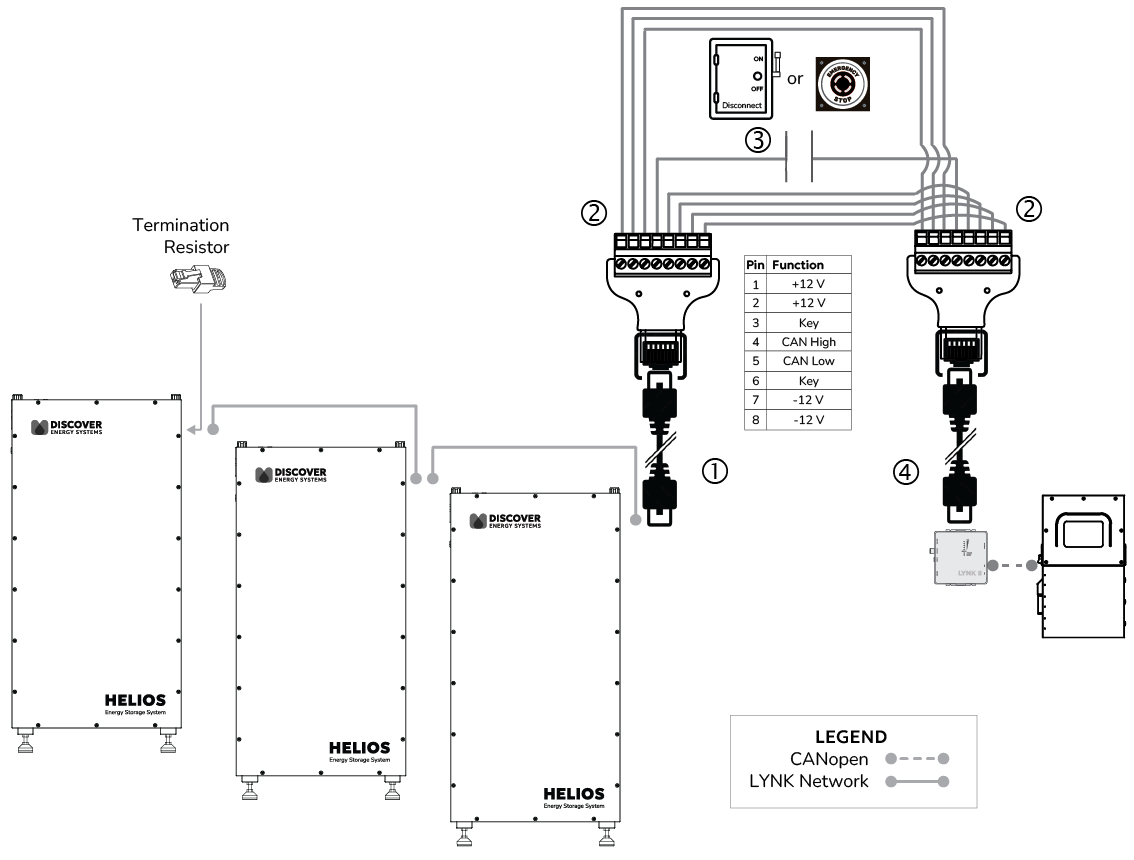
Figure 3, LYNK Heartbeat E-Stop
|
Item |
Description |
|---|---|
|
1 |
Connect an RJ45 network cable to the LYNK port on a Discover lithium battery. Connect the other end of the RJ45 network cable to the RJ45 receptacle of an RJ45 screw terminal adapter connector.
If there are multiple Discover batteries in the system, connect RJ45 cables to the LYNK port of each battery to string them together. |
|
2 |
Connect 14-18 AWG wires to pins 1 to 3 and 5 to 8 on one of the screw terminal adapters, and connect the other end of the wires to the corresponding pins of the other screw terminal adapter. |
|
3 |
Connect a 14-18 AWG wire to pin 4 of the RJ45 screw terminal adapter and connect the other end of the wire to one end of the Normally Open emergency switch (E-stop button or bladed lockable disconnect). Connect another 14-18 AWG wire to pin 4 of the other RJ45 screw terminal adapter, and connect the other end of the wire to the other end of the Normally Open emergency switch. |
|
4 |
Connect an RJ45 network cable between the RJ45 screw terminal adapter connector and the LYNK port of the LYNK II Gateway. |
Preparation
Update the battery firmware and enable the Rapid Shutdown feature on the LYNK II Gateway.
LYNK ACCESS version 2.4.1 or later is required. (Website)
Battery Firmware
-
To update the battery firmware, refer to Updating Firmware with LYNK ACCESS - Updating Battery Firmware.
Enable Rapid Shutdown
-
Connect the LYNK II Gateway to your computer.
-
On your computer, start LYNK ACCESS 2.4.1 or later.
-
In LYNK ACCESS, click the LYNK workspace.
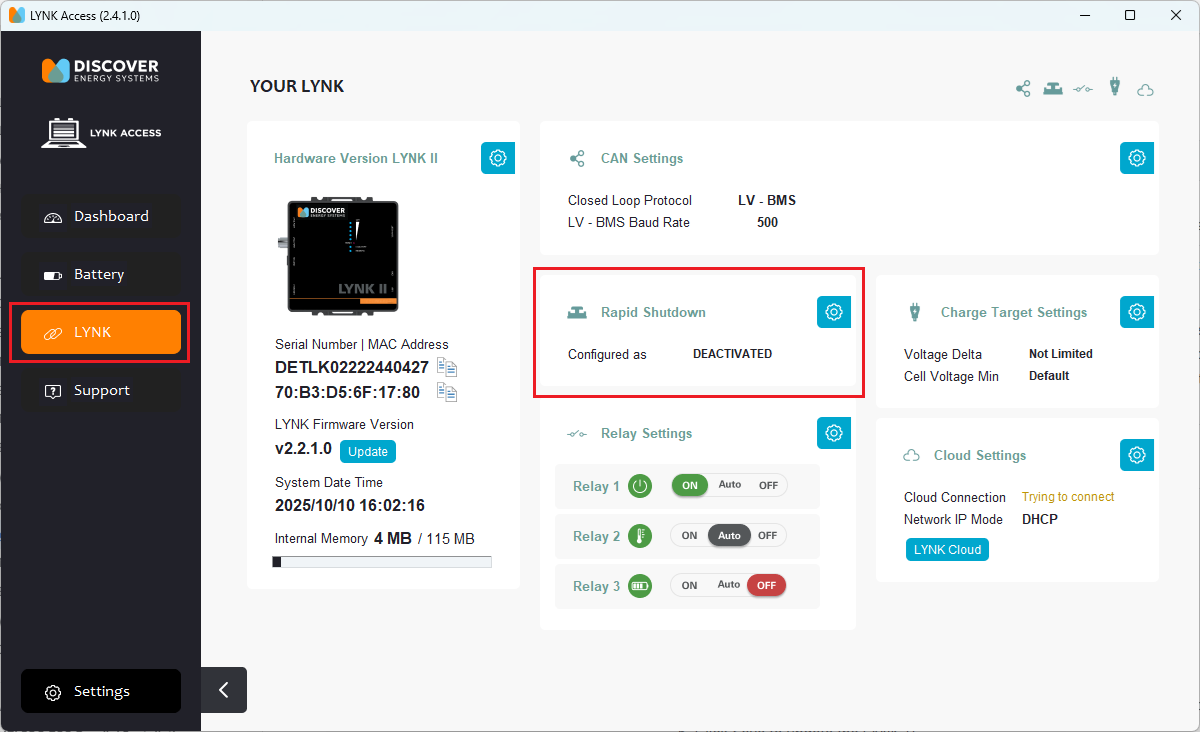
Figure 4. LYNK ACCESS
-
In the Rapid Shutdown tile, click the

If the Rapid Shutdown tile is not visible, it may be hidden from view. Click the icons in the top-right corner to show and hide tiles.

Figure 5. Show and Hide Tiles
-
Click Save to update the LYNK II.
Operation
RUN: Close the circuit by cranking the handle of the bladed lockable disconnect to ON or reset (i.e. pull up) the E-stop button, then turn ON the batteries in the BESS.
SHUT DOWN: Push the E-stop button or crank the handle of the bladed lockable disconnect to OFF to open the circuit and enable rapid shutdown.
When the corresponding communication line is disconnected, all the batteries connected to the LYNK network turn OFF.
To configure the emergency switch for up to 36 batteries per LYNK II Gateway, connect the batteries to the same LYNK communication network.
|
NOTE |
|---|
|
Use the above instructions with a Normally Open switch only. |