
Battery charge and discharge rates are managed by the Selectronic device based on settings configured in the SP Link application.
Program the Selectronic inverter-charger with the correct voltage-based parameters so the system can operate in a self-managed (open-loop) configuration.
Self-Managed (Open-Loop) Configuration
Refer to the latest Discover Battery documentation for battery values and the latest Selectronic documentation for details on menu navigation and the setup procedure.
-
Install and then start the latest version of the SP LINK application.
-
Either use the Easy Start Guide > Site Configuration Wizard or create a new site and fill in the site connection details.
-
In the Site Configuration tab, define the site and inverter equipment information.
-
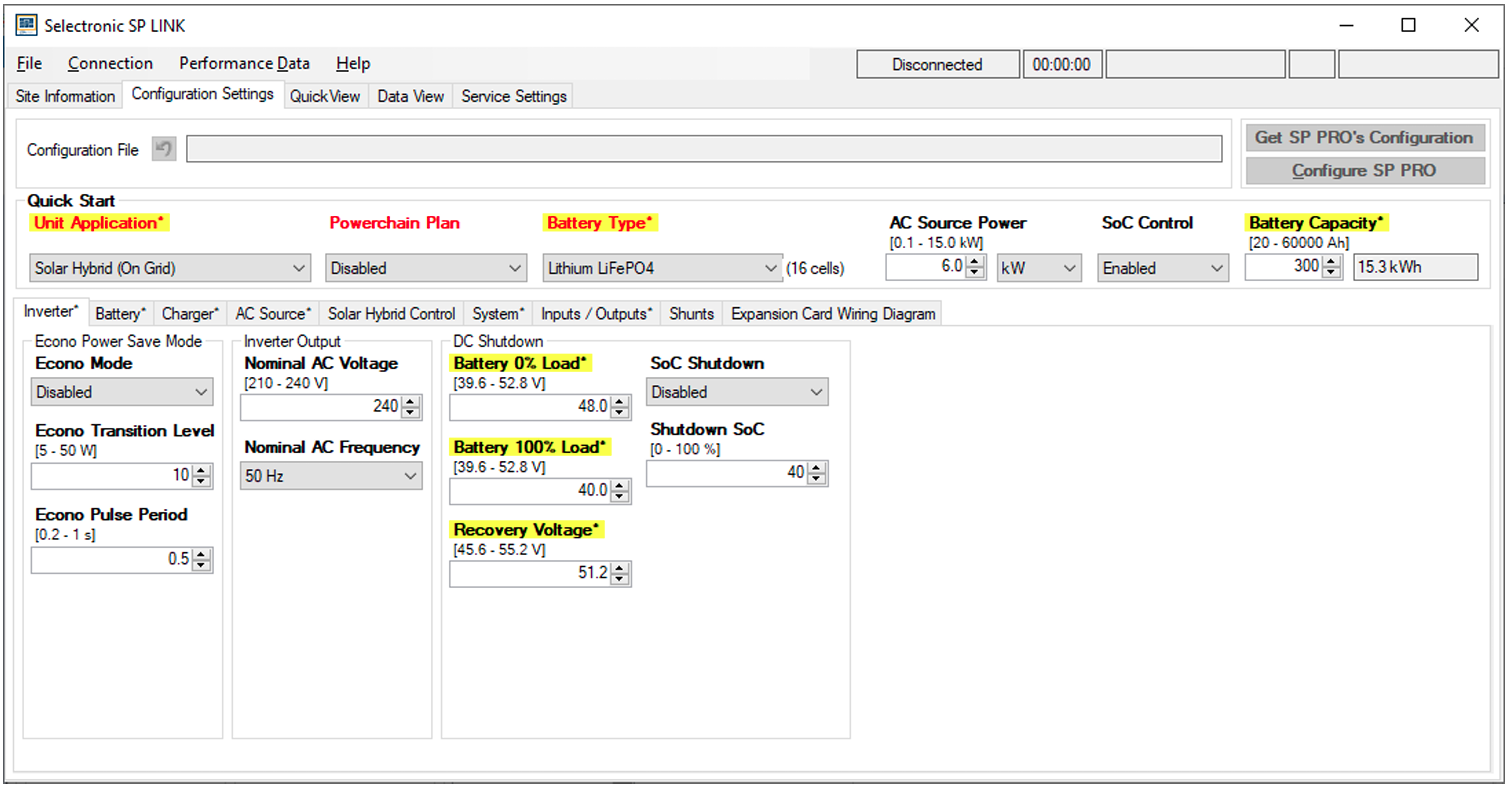
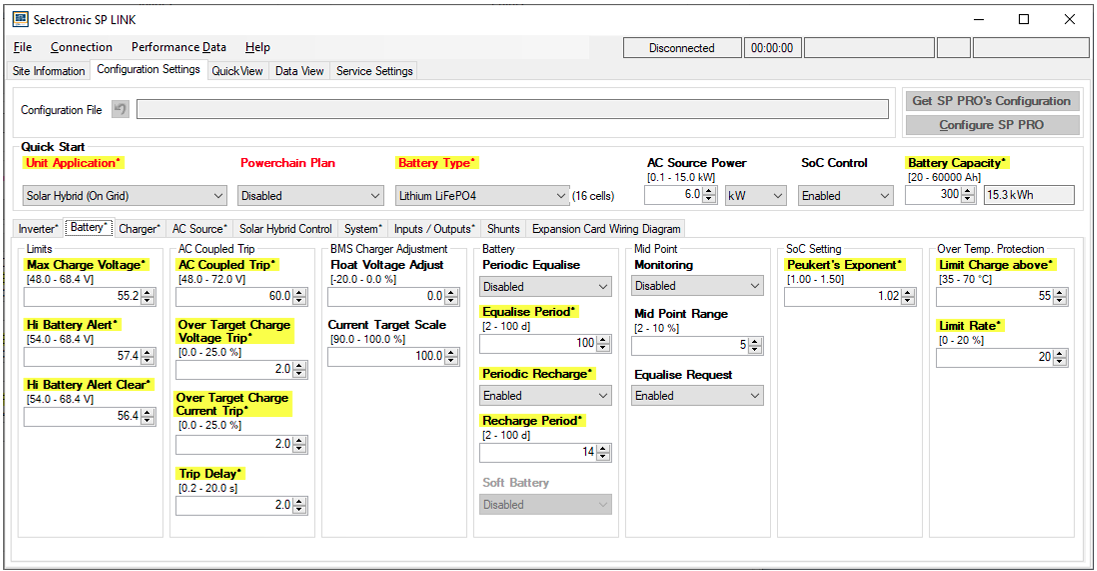
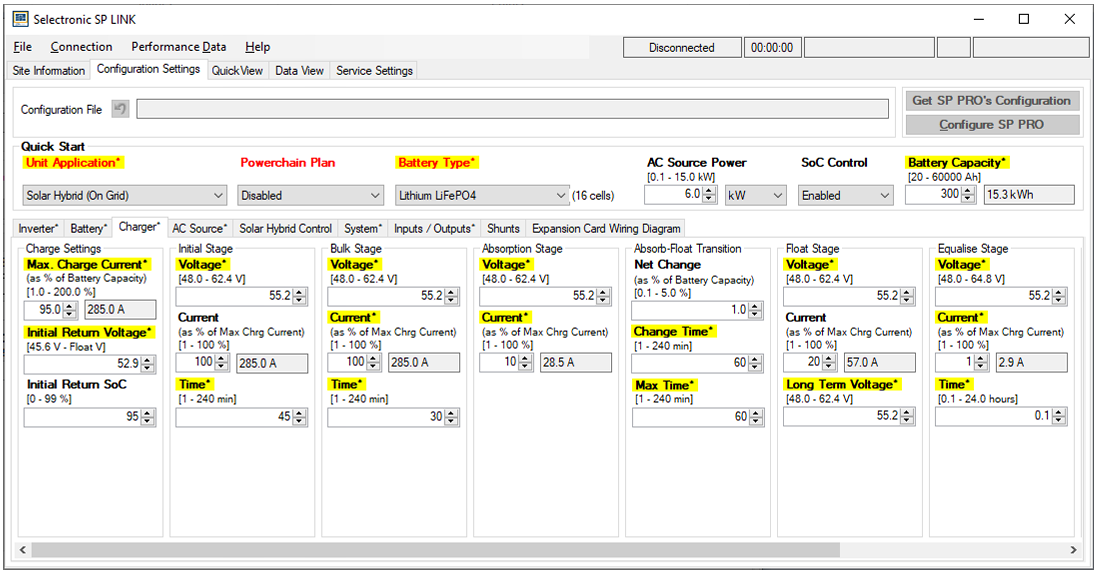
In the Configuration Settings tab, set the battery parameters as shown in the tables below.
-
Once the configuration is complete, from Configuration Settings, click Configure SP PRO to send it to the assigned SP PRO units.
Configuration Settings
Configuration can be done in either the Configuration Wizard or the SP LINK application interface.
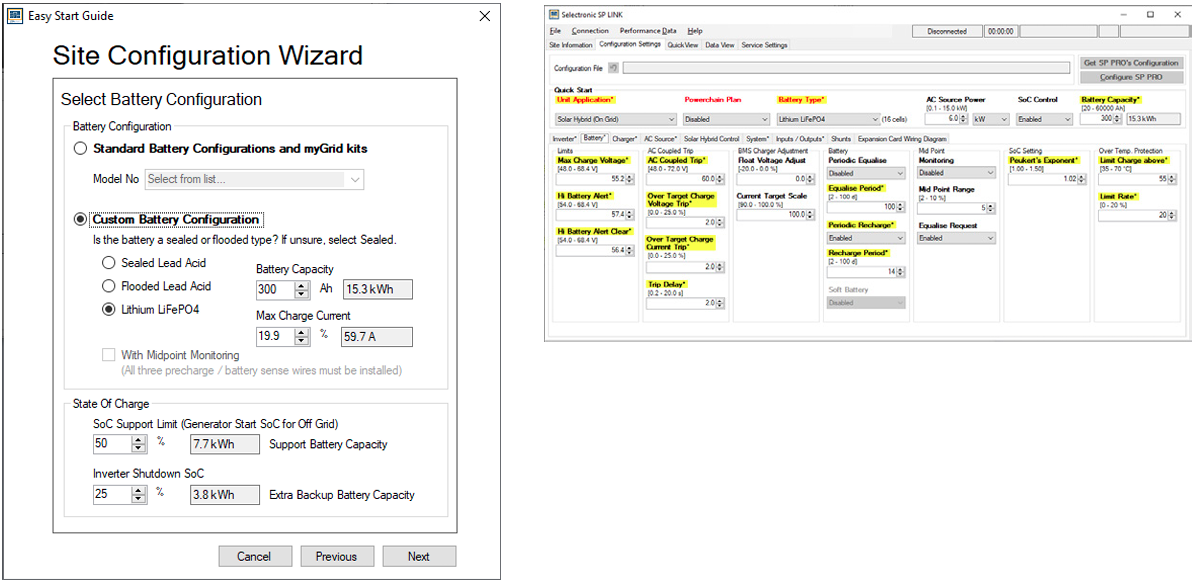
Site Configuration Wizard and SP LINK Application
SP-LINK - Inverter
|
Setting |
AES RACKMOUNT
|
HELIOS ESS
|
|---|---|---|
|
Quick Start |
||
|
Battery Type |
Lithium LiFePO4 |
|
|
Battery Capacity |
100 Ah × number of batteries |
314 Ah × number of batteries |
|
Inverter |
||
|
DC Shutdown
|
When setting the DC Shutdown Battery 0% Load voltage, consider what is set for the Generator Start SoC. These settings should not be the same and should be at least 10% SoC apart. For example, if DC Shutdown Battery 0% Load is 50.2 V (20% SoC), set the Generator Start SoC to 30% SoC or more. 48.0 V (0% SOC)
|
|
|
46.0 V |
|
|
51.2 V |
|
|
Recommended value varies, depending on the type of installation. For example, when off grid with no generator, set a higher Shutdown SOC such as 20%. If an automatic start generator is configured, 10%. |
|
SP-LINK - Battery
|
Battery Settings |
AES RACKMOUNT
|
HELIOS ESS
|
|---|---|---|
|
Battery |
||
|
Max Charge Voltage |
55.2 V |
|
|
Hi Battery Alert Voltage |
57.6 V |
|
|
Hi Battery Alert Clear Voltage |
56.8 V |
|
|
Periodic Recharge |
7 to 14 days |
|
|
Peukert's Exponent |
1.02 |
|
|
Limit Charge Above °C |
50 °C |
|
|
Limit Rate % |
20% |
|
SP-LINK - Charger
|
Setting |
AES RACKMOUNT
|
HELIOS ESS
|
|---|---|---|
|
Charger |
||
|
Max Charge Current 95 A x the number of batteries |
Max Charge Current 200 A x the number of batteries |
|
52.9 V |
|
|
95% |
|
|
Initial Stage |
||
|
55.2 V |
|
|
100% |
|
|
45 minutes |
|
|
Absorption Stage |
||
|
55.2 V |
|
|
10% |
|
|
Absorb - Float Transition |
|
|
|
1% |
|
|
60 minutes |
|
|
60 minutes |
|
|
Float Stage |
||
|
55.2 V |
|
|
10% |
|
|
55.2 V |
|
|
Equalise Stage |
||
|
55.2 V |
|
|
1% |
|
|
0.1 hours |
|
|
Battery Temperature Compensation |
Not applicable |
|
|
NOTE |
|---|
|