
After selecting the Megarevo communication protocol for the LYNK II, complete the closed-loop configuration on the Megarevo inverter. Confirm the Discover Lithium batteries are networked with LYNK II and that the LYNK II is connected to the Megarevo BMS CAN port.
Refer to the latest Discover Energy Systems documentation for battery values and the latest Megarevo documentation for menu navigation and details on the setup procedure.
-
Set the Discover Lithium batteries to ON and set the inverter to ON.
The inverter power button is located on the front of the inverter. The inverter touchscreen can turn ON even when the inverter is OFF. -
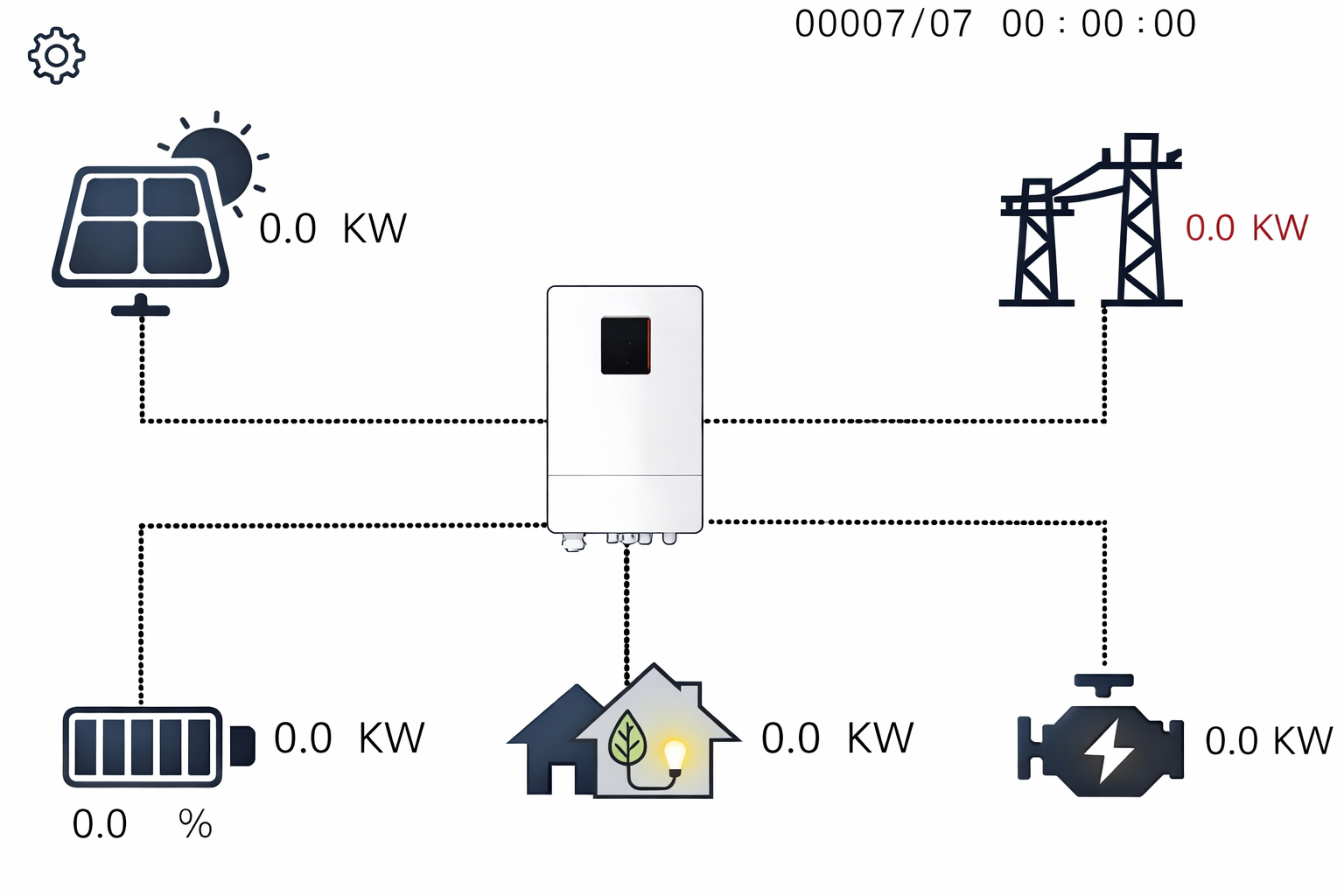
Using the inverter touchscreen interface, in the top-left corner of the Control Panel, touch the

-
When requested by the Settings screen, enter the password. The default is 11111.
-
Configure the battery parameters as shown below.
|
NOTE |
|---|
|


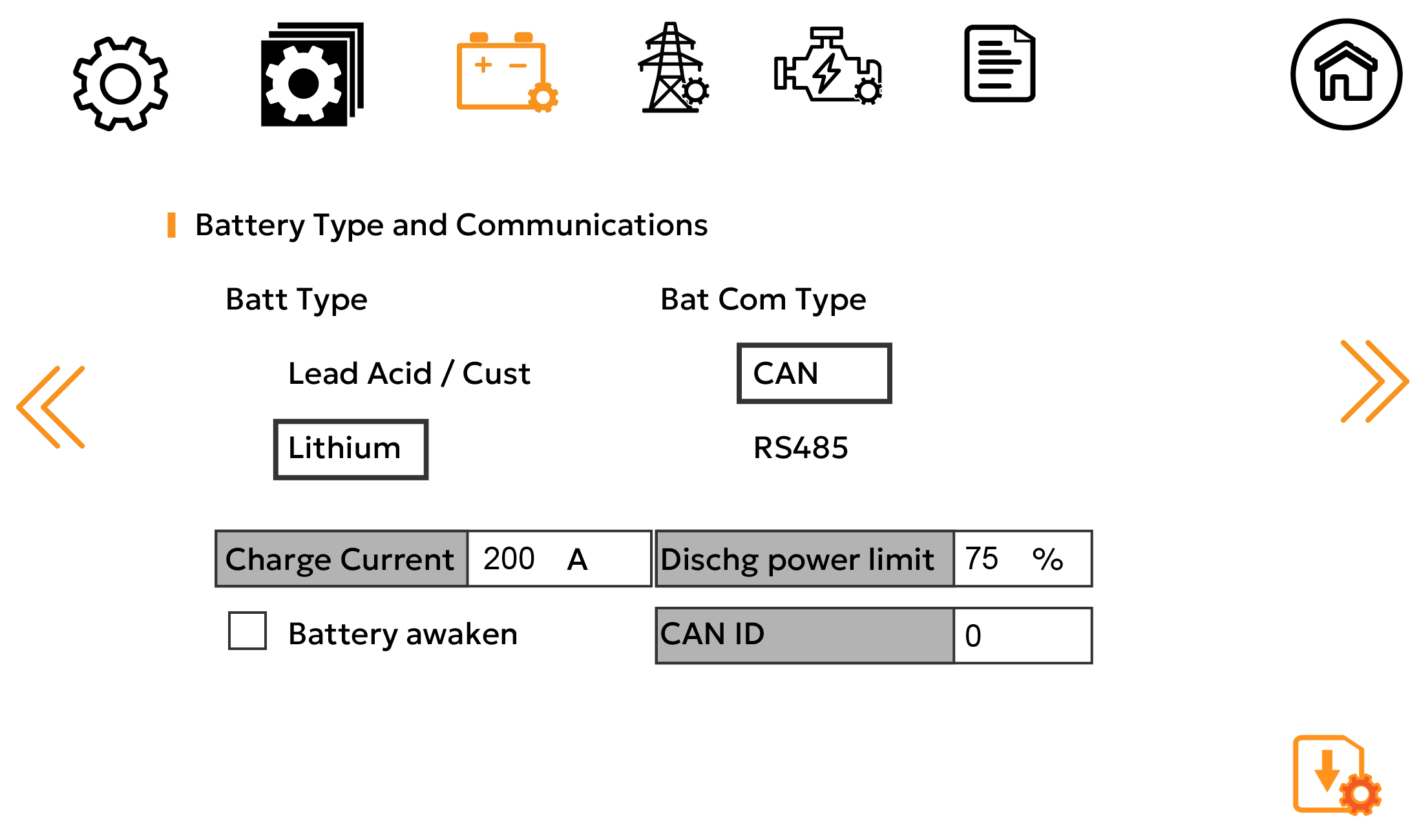
Battery Screen 1
Use the icons at the top of the screen to navigate the Setting menus. After configuration changes, click the 
|
Battery Type and Communications |
AES RACKMOUNT 48-48-5120 / 48-48-5120-H |
HELIOS ESS 52-48-16000 |
|---|---|---|
|
Batt Type |
Select Lithium (Pylon). |
|
|
Bat Com Type |
Select CAN. |
|
|
Charge Current |
95 A x number of batteries |
200 A x number of batteries NOTE: Each HELIOS ESS battery is rated at a 200 A charge rate, but when connected in parallel, the maximum current is limited by internal busbars. For the recommended maximum current for paralleled HELIOS ESS, refer to the HELIOS Manual, Minimum Specifications for Battery Systems. |
|
Dischg power limit |
Set the maximum inverter discharge as a percentage of its max continuous power output. |
|
|
35% |
75% |
|
|
Battery awaken |
Only required when the battery is over-discharged and has shut down. Do not over-discharge the battery. |
|
|
CAN ID |
Keep the default value of 0. |
|
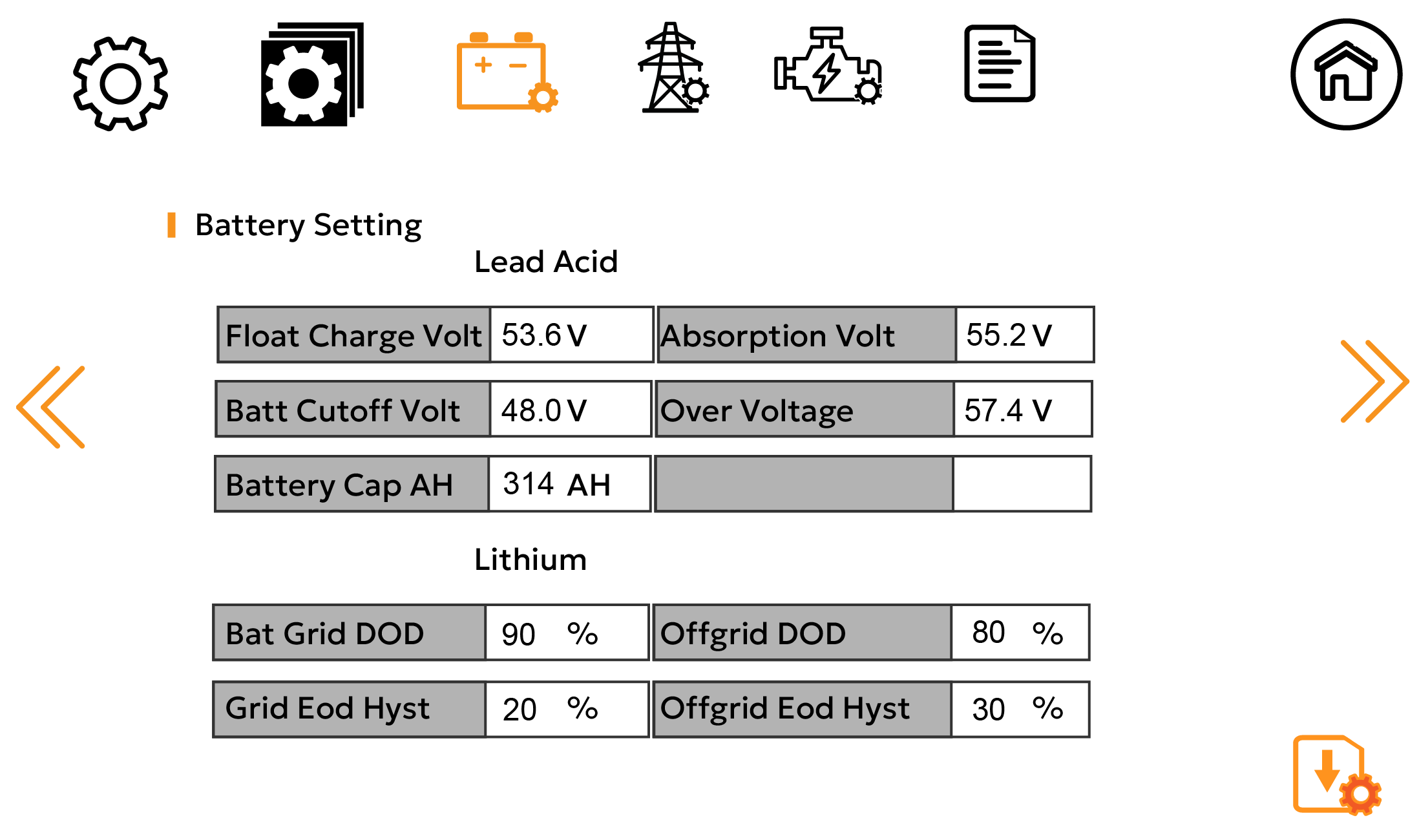
Battery Screen 2
Set the following battery parameters according to your application requirements.
|
Battery Setting |
AES RACKMOUNT 48-48-5120 / 48-48-5120-H |
HELIOS ESS 52-48-16000 |
|---|---|---|
|
Bat Grid DOD |
When the battery’s depth of discharge exceeds the set value, the inverter triggers a battery low-voltage alarm. You can differentiate DOD behavior between when the battery is connected to the grid and when the battery is offgrid. |
|
|
Offgrid DOD |
||
|
Grid Eco Hyst |
After a low-voltage alarm is generated, it is cleared once the battery is recharged to the specified level. You can differentiate the alarm reset level between when the battery is connected to the grid and when the battery is offgrid. |
|
|
Offgrid Eco Hyst |
||