
Set the LYNK II communication protocol and configure closed loop on the Megarevo inverter-charger.
LYNK II Protocol
-
Download the current version of LYNK ACCESS software from the Discover Energy Systems website to obtain the most up-to-date suite of available protocol configurations.
-
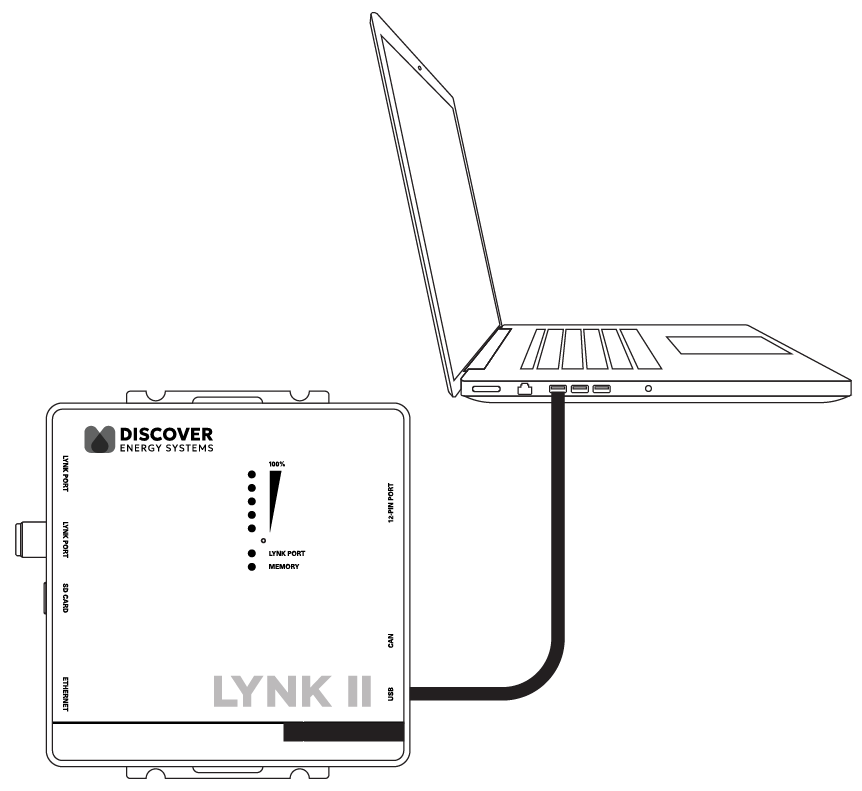
Using a USB cable with a Type-B mini-plug, connect the 64-bit Windows 10 / 11 device running LYNK ACCESS software to the USB port on LYNK II. Ensure LYNK II is powered and connected to the correct Megarevo COM port.
Refer to LYNK II CAN Out - RJ45 Pin Assignment for Megarevo Inverters.
-
Open LYNK ACCESS. Options for configuration and settings are found by selecting the LYNK tab.
-
Connect the LYNK II and open LYNK ACCESS. Ensure that you only have one LYNK device connected to the computer.
-
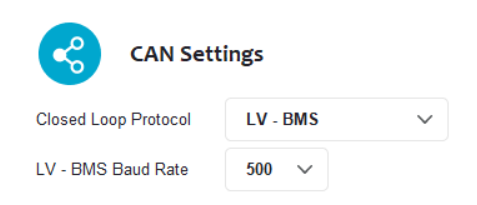
Open LYNK ACCESS and select the LYNK tab. Select the blue gear icon in the upper-right area of the CAN Settings tile.
-
Select the LV - BMS protocol and confirm the communication parameters to complete the closed-loop configuration for LYNK II. The default settings align with most applications.
-
Click SAVE to confirm the configuration.
|
NOTE |
|---|
|