
Setting the LYNK II Communication Protocol
Set the LYNK II communication protocol and configure closed loop on the Schneider Electric inverter.
LYNK II Gateway
-
Download the current version of LYNK ACCESS software from the Discover Energy Systems website to obtain the most up-to-date suite of available protocol configurations.
-
Using a USB cable with a Type-B mini-plug, connect the 64-bit Windows 10 / 11 device running LYNK ACCESS software to the USB port on LYNK II. Confirm LYNK II is powered and connected to the correct COM port. Refer to the “Schneider Electric CAN Connection” image in Connecting the LYNK II to the Schneider Electric Network.
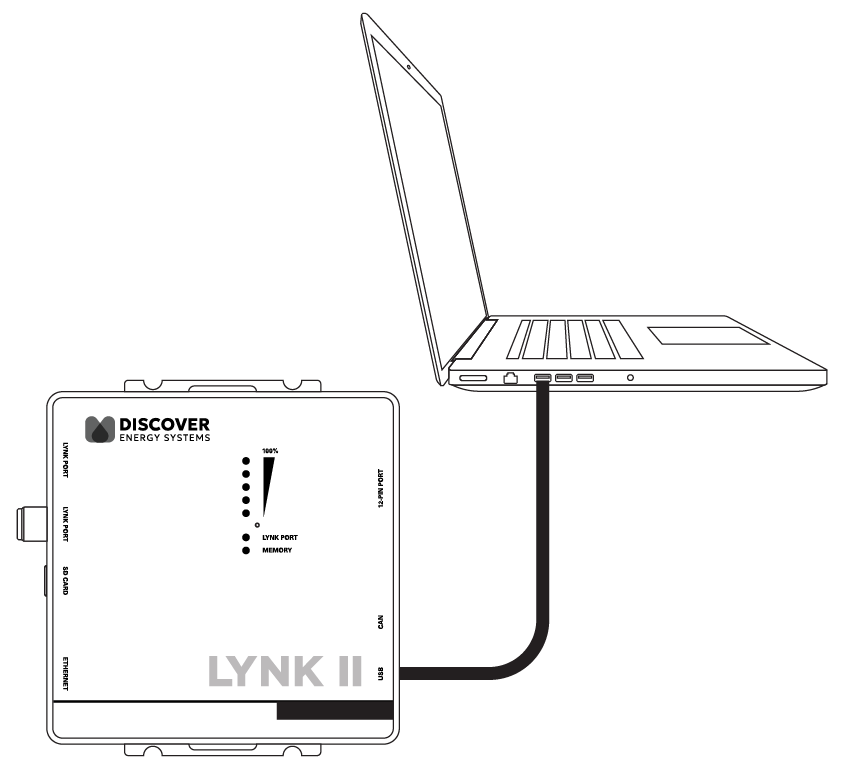
Ensure that you only have one LYNK device connected to the computer.
-
Open LYNK ACCESS and select the LYNK tab. Select the blue gear icon in the upper-right area of the CAN Settings tile.
-
Select the Xanbus protocol to complete the closed-loop configuration for LYNK II.
-
Click SAVE to confirm the configuration.
|
NOTE |
|---|
|
Saving configuration changes in LYNK ACCESS will automatically cause LYNK II to shut down and restart. |
Verify the Xanbus Connection
All networked Discover lithium batteries will appear as a single battery on InsightLocal.
-
Dashboard > Devices > Device Overview
-
Devices > Inverter/Charger > Configuration (Advanced) > Battery Settings
If the connection was successful, the listed Battery Bank Capacity should be as follows.
|
Battery Settings |
AES RACKMOUNT (48-48-5120) |
HELIOS ESS (52-48-16000) |
|---|---|---|
|
Battery Bank Capacity |
100 Ah × number of batteries |
314 Ah × number of batteries |
-
If the connection is unsuccessful, check if the network is correctly terminated and for any damage to the network cabling, terminators, and connectors.
-
Confirm all batteries have the same firmware revision.
-
Rectify any problems and verify again.
|
NOTE |
|---|
|
Discover HELIOS ESS and AES RACKMOUNT batteries are visually represented by a Conext Battery Monitor image on InsightLocal or InsightCloud. |