
Refer to the latest Discover Energy Systems documentation for battery values and the
latest Victron documentation for menu navigation and details on the setup procedure.
-
Set the Discover Lithium batteries to ON and the Victron GX device to ON.
-
Using a touch screen or other user interface of the GX device, set the VE.Can
port and CAN-Bus BMS communication rate to 250 kbit/s to match the
communication speed set up on the LYNK II communication gateway.
Device List > Settings > Services > VE.Can port > CAN-bus profile
• Select VE.Can & CAN-bus BMS (250 kbit/s)
(Select Victron solar inverters may operate with CAN-bus BMS 500 kbit/s)
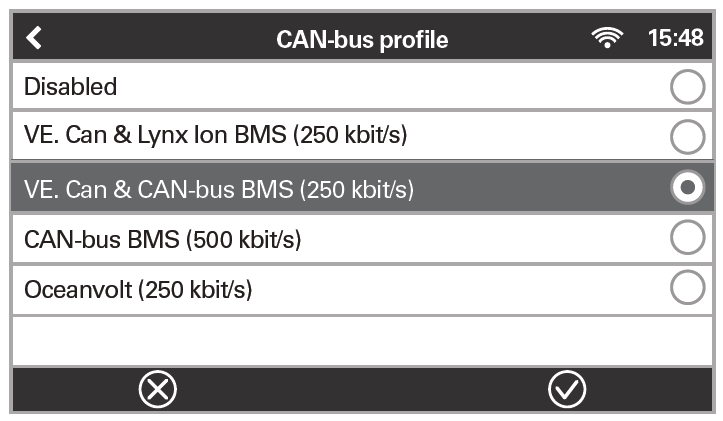
CAN-bus profile
-
Return to the Device List, and the Discover Lithium Battery should now appear
as one of the devices.
Device List
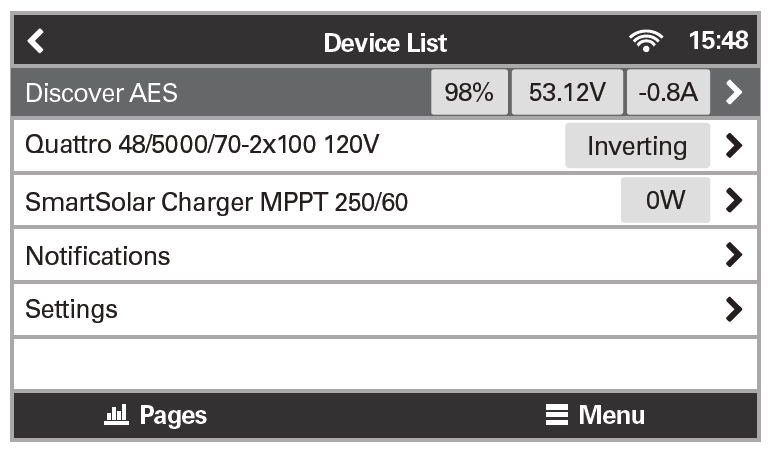
Device List
|
NOTE |
|---|
|
If Discover does not appear on the Device List, confirm that the CAT5e or higher communication cable is a normal patch type, not a cross-over type. Use manufactured cables to avoid bad crimps and reduce the risk of a poor connection. |
-
To confirm that all batteries in the network are communicating with the Victron system, review the actual battery parameters. If multiple batteries are connected, a single entry shows the total limit of all the batteries.
Device List > Discover AES > Parameters
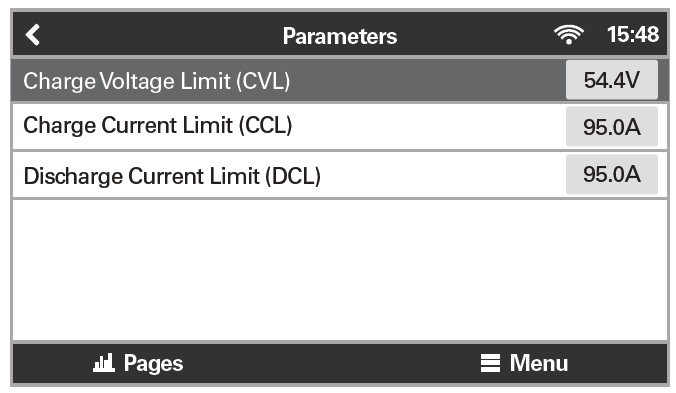
Battery Parameters
Closed-loop Settings
During normal operation, the battery’s charge parameter limits are set by the BMS and communicated by the Victron GX device to the inverter-charger and MPPT.
To optimize the performance of a Victron system, manually set the following DVCC menu items using the Victron GX device and reboot the system.
Device List > Settings > DVCC
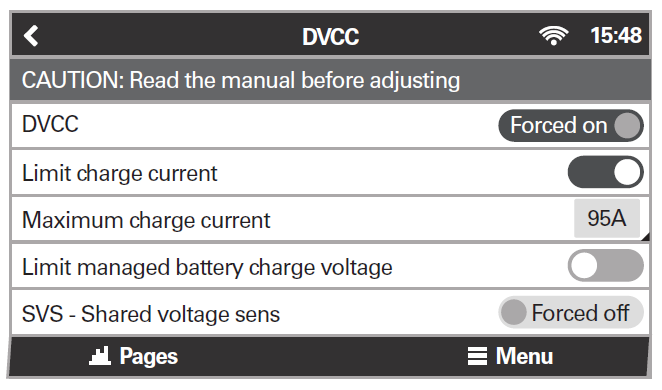
DVCC Menus 1/2 |
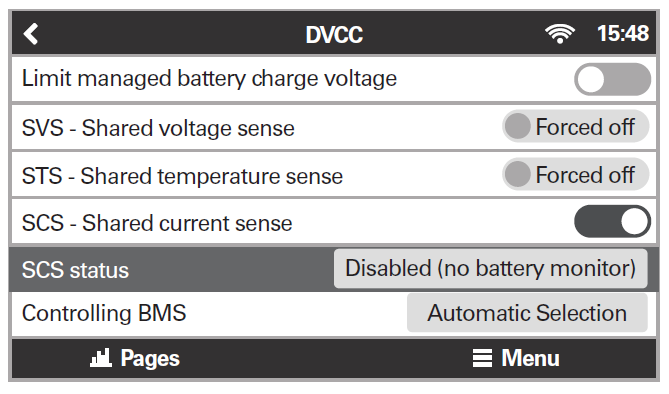
DVCC Menus 2/2 |
|
DVCC Menu |
Setting |
|---|---|
|
DVCC (Distributed Voltage and Current Control) |
Forced on |
|
Limit charge current |
ON (1) |
|
Maximum charge current |
Installed number of Discover Lithium batteries x their rated Maximum Charge current, or a lower value if system curtailment is required. |
|
Limit managed battery charge voltage |
Disable |
|
SVS - Shared voltage sense |
Forced off (2) |
|
STS - Shared temperature sense |
Forced off |
|
SCS - Shared current sense |
ON |
|
SCS status |
(Displays the current status) |
|
Controlling BMS |
Automatic Selection |
(1) Limit charge current works across the whole system. MPPTs are automatically prioritized over the mains. In cases where the BMS requests a maximum charge current different from the user-configurable setting, it uses the lesser of the two.
(2) SVS should be set to OFF (Victron support has reported instances of conflicts when SVS is set to ON with a Lithium BMS).
Saving Closed-Loop Settings
Device List > Settings > General > Reboot?
After all DVCC menu items have been set, reboot the system to complete the closed-loop configuration.
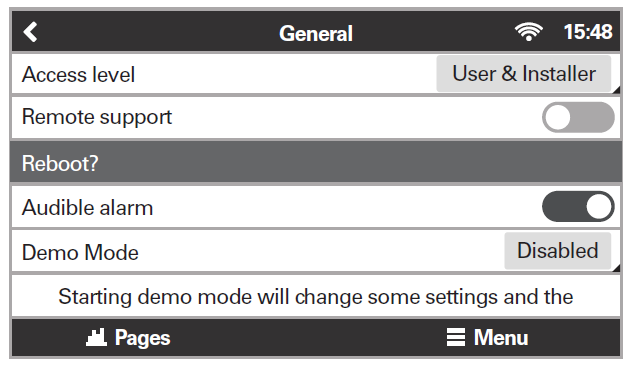
Rebooting the System
|
NOTE |
|---|
|
To avoid conflicting network information and data, do not use a Victron BMV battery monitor when using the LYNK II Communication Gateway. |