The following tests are performed with the AES Cabinet fully energized. When handling a live high-voltage battery, take appropriate precautions and wear appropriate PPE.
Connect a USB Type A to USB mini-B cable between the laptop and the LYNK II Gateway inside the battery cabinet.
Start the LYNK ACCESS software.
✅ Auxiliary Power Power-up Test
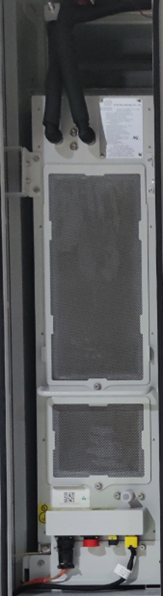
The dehumidifier is part of the auxiliary systems and powered through the 24 V UPS.
Task
Pass/Fail
Notes
Check that the auxiliary power supply voltage is normal.
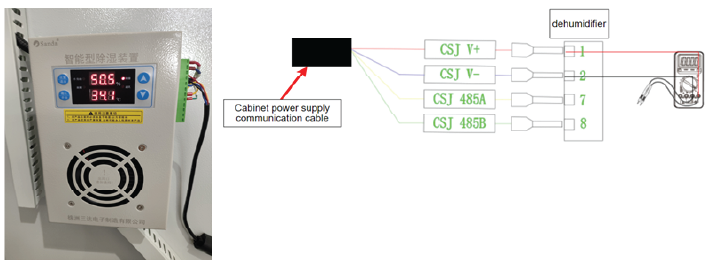
Measure the dehumidifier voltage using a multimeter with the red test lead of the multimeter measuring CSJ V+ and the black test lead measuring CSJ V-.
Confirm the voltage is 24±2V. If not, begin troubleshooting the issue.
☐ / ☐
Dehumidifier Voltage testing
✅ Cabinet Door Indicator Light Test
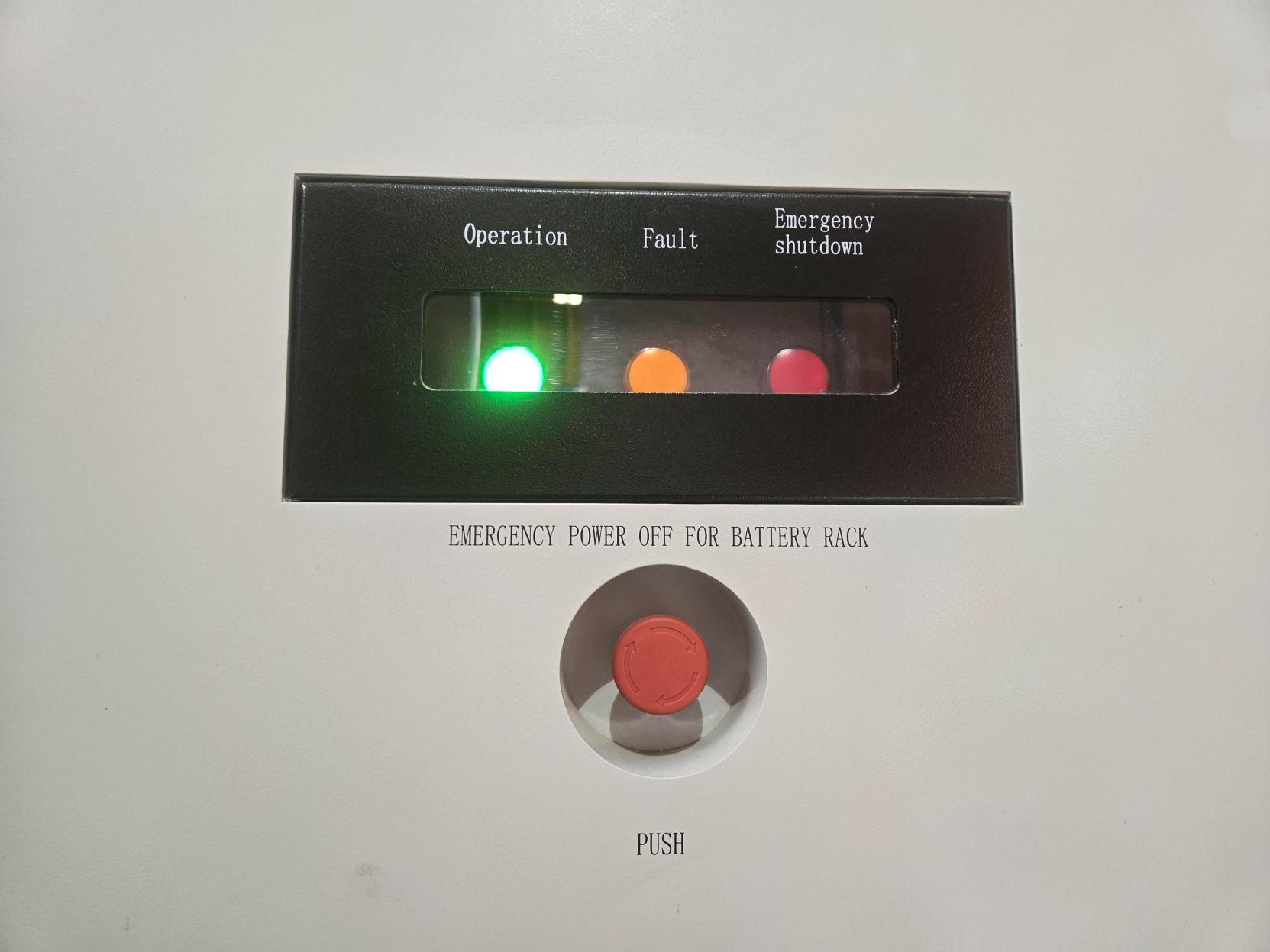
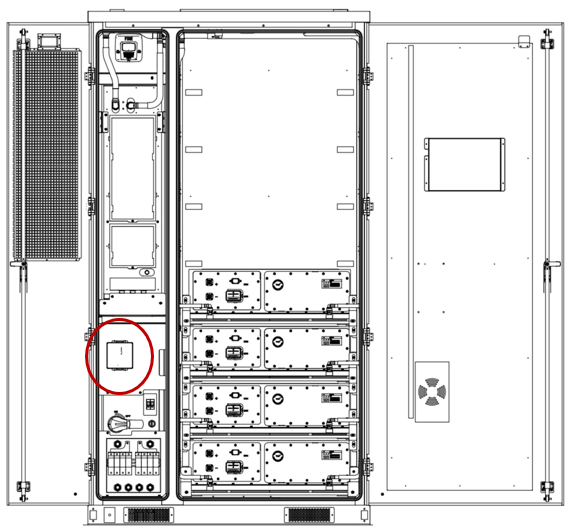
Indicator lights
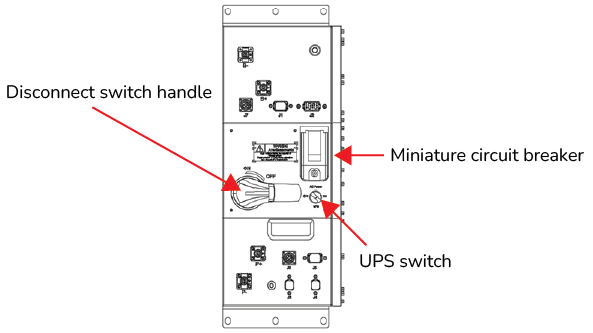
High Voltage Box
Task
Pass/Fail
Notes
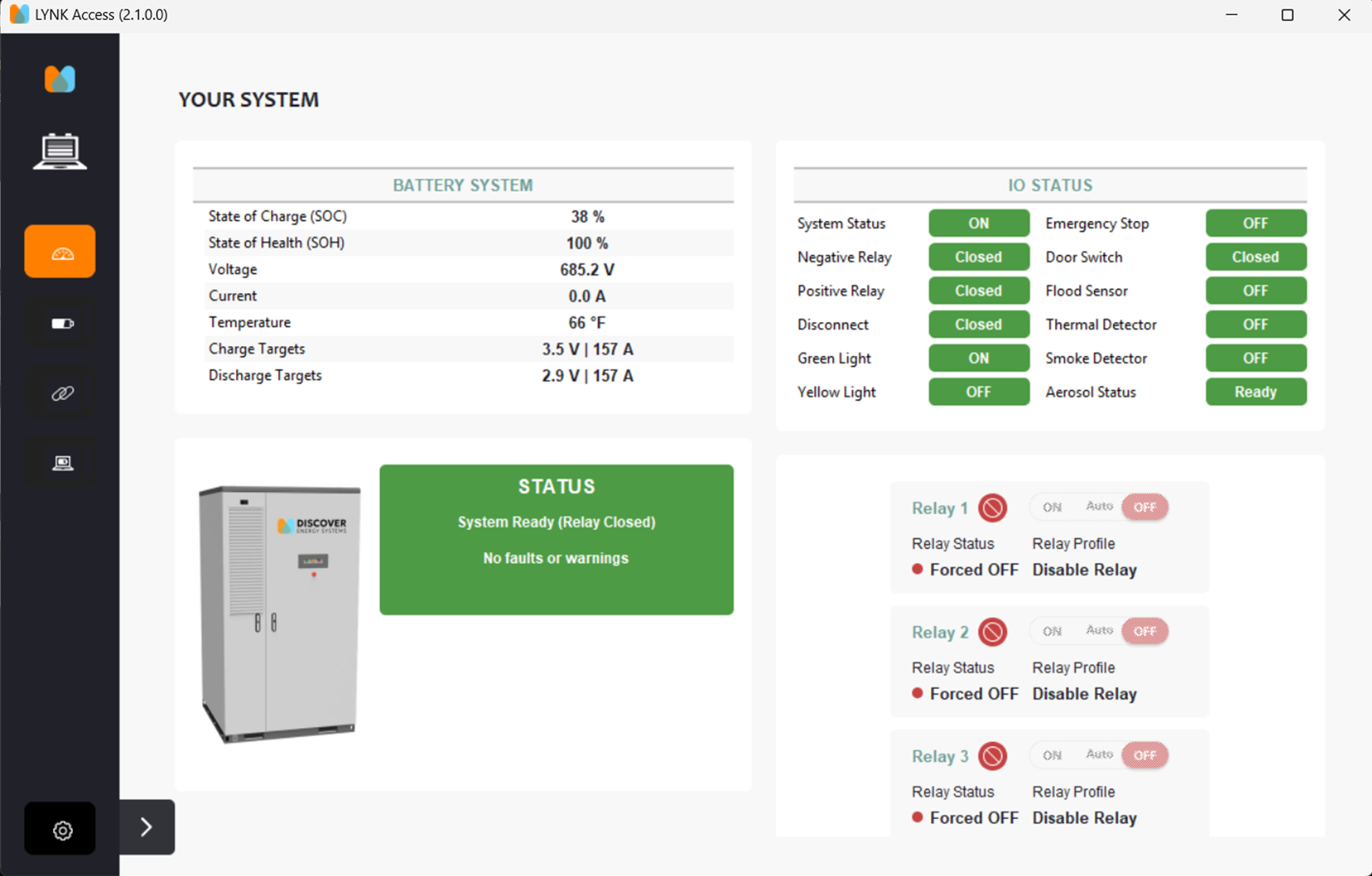
Start up the system
On the High Voltage Box (HVB), rotate the Disconnect switch handle ON.
Open the cover of the circuit breaker and toggle up the circuit breaker switch.
Rotate the knob of the UPS switch ON.
Wait for 30 seconds.
The green indicator light flashes and then turns a solid green.
☐ / ☐
Check the emergency stop indicator light
Press the emergency stop button on the cabinet door.
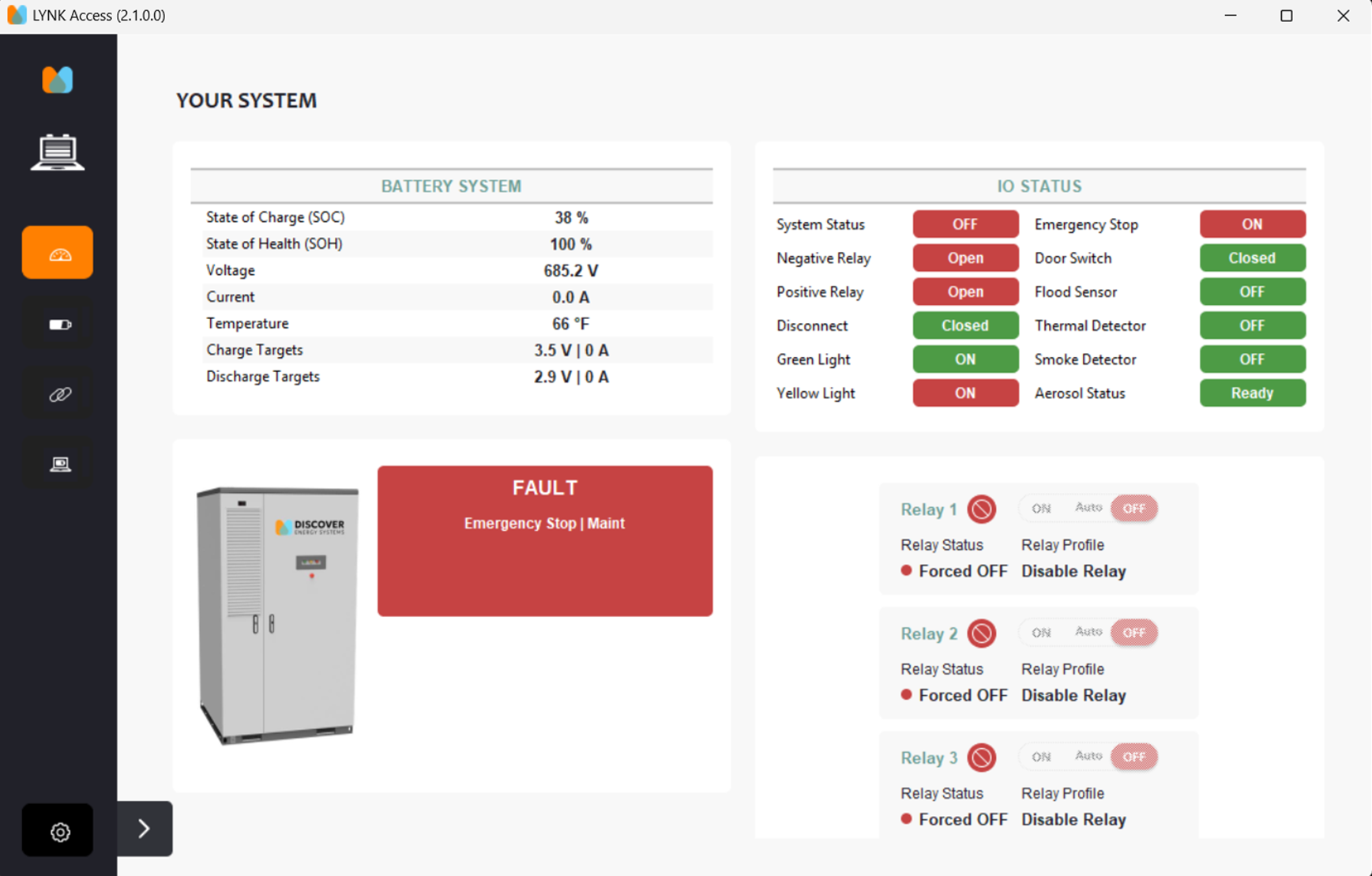
The red indicator light turns ON, indicating an emergency stop condition. Faults appear in LYNK ACCESS.
☐ / ☐
LYNK ACCESS
Shut down the system
Rotate the emergency stop button to disengage the switch.
Rotate the Disconnect switch handle OFF.
Rotate the knob of the UPS switch OFF and toggle down the circuit breaker switch.
All the lights turn off indicating the battery has shut down.
☐ / ☐
✅ Thermal Management System Test
Thermal Management System
Task
Pass/Fail
Notes
Toggle up (close) the HVB circuit breaker for 30 seconds to see if the liquid cooling system is operating.
Toggle down (disconnect) the HVB circuit breaker and close the breaker cover.
After 30 seconds, confirm the liquid cooling system stops.
☐ / ☐
✅ UPS Test
Task
Pass/Fail
Notes
UPS Backup Function (loss of utility 240 V power, UPS power only)
Toggle up (close) the HVB circuit breaker. The AUX (240 Vac) power for the TMS system is active and running the unit. The green operation indicator light flashes or turns ON.
Shut off the auxiliary power feeding the TMS unit with the breaker on the front of the HV Box or the breaker feeding the J6 auxiliary power cable.
If the green operation indicator light continues flashing or remains ON, the UPS backup function is normal.
☐ / ☐
UPS Shutdown Function
Shut off the auxiliary power feeding the TMS unit with the breaker on the front of the HV Box or the breaker feeding the J6 auxiliary power cable.
Rotate the UPS switch to the left to turn it OFF.
If the green operation indicator is off, the UPS shutdown function is normal.
☐ / ☐
UPS Cold Start Function (running on UPS batteries only)
Rotate the UPS switch to the right to turn it ON.
If the green operation indicator light is flashing/ON, the UPS cold start function is normal.
☐ / ☐
Return to Normal (240 Vac power feeding the TMS unit)
Confirm the disconnect switch is turned ON. Otherwise, a pre-charge fault may occur.
Engage and turn ON the auxiliary power feeding the TMS unit with the breaker on the front of the HV Box and the breaker feeding the J6 auxiliary power cable.
Confirm there are no warnings or alarms in LYNK ACCESS.
If the green operation indicator light is flashing/ON, the operation is normal.
☐ / ☐
✅ Fire Suppression System Test
Preparation
Task
Pass/Fail
Notes
Turn on the equipment following the power-on process (the green operation indicator light on the cabinet door turns on).
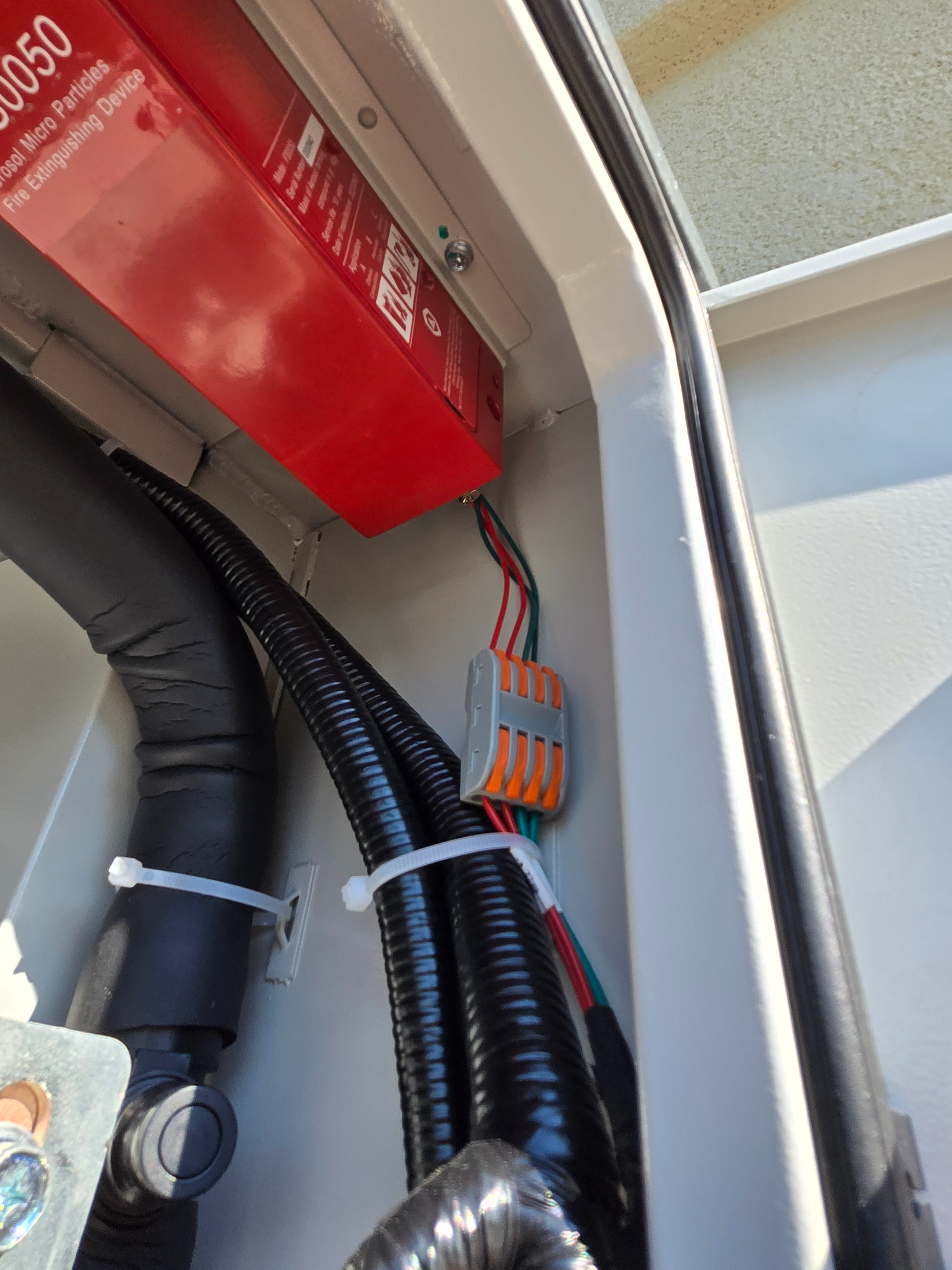
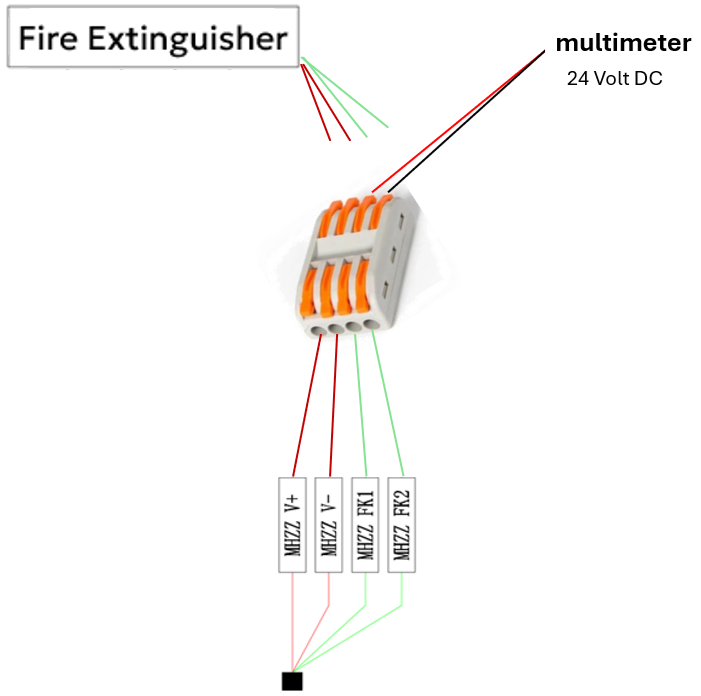
Unplug the wires from the top of the WAGO connector that trigger the aerosol canister.
Disconnect Aerosol Canister Wires from Top of WAGO Connector
The bottom wires of the WAGO connector will have 24V power and signal.
☐ / ☐
INJURY HAZARD
Before testing, disconnect and isolate aerosol actuator cables to prevent accidental aerosol release.
After testing, use LYNK ACCESS to verify all alarms are cleared.
Failure to follow these instructions may result in injury.
Smoke Alarm Test
Task
Pass/Fail
Notes
Activate the smoke sensor with the smoke generator. For information, refer to Testing the Smoke Detector.
Confirm the system's smoke protection is triggered.
The DC output should be cut off, audible and visual alarms should be activated, and the orange fault indicator on the cabinet door turns on.
LYNK ACCESS should display a fault condition.
☐ / ☐
High Temperature Alarm Test
INJURY HAZARD
Before testing, disconnect and isolate aerosol actuator cables to prevent accidental aerosol release.
After testing, use LYNK ACCESS to verify all alarms are cleared.
Failure to follow these instructions may result in injury.
Task
Pass/Fail
Notes
At the end of this procedure, reconnect the wires to the WAGO connector ensuring each wire is inserted in its original location.
Confirm the system temperature protection is triggered and the fire extinguishing device is activated: Use a multimeter to measure the positive (+) and negative (–) of the two green wire contacts at the top of the WAGO connector to confirm it is 24 V.
Be careful with placement of multimeter prongs to avoid a short-circuit.
Once the test is confirmed, let the heat sensor cool down and use LYNK ACCESS to verify all alarms are cleared before reconnecting the wires to the WAGO connector. Reconnecting too early could discharge the fire suppression system.
☐ / ☐
✅ Flood Sensor Function Test
Flood Sensor
Task
Pass/Fail
Notes
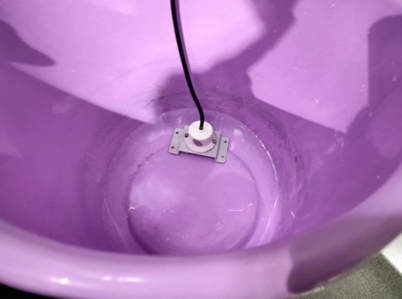
Place the flood sensor in a bucket of water and let the water submerge the bottom part of the sensing contact of the flood sensor.
Keep submerged for more than 10 seconds.
Confirm the flood alarm is triggered by the system.
The DC output should be cut off and the orange fault indicator on the cabinet door should turn ON.
LYNK ACCESS should display a fault condition.
When the test is complete, wipe the flood sensor dry and reset it.
☐ / ☐
JavaScript errors detected
Please note, these errors can depend on your browser setup.
If this problem persists, please contact our support.