
This page describes how to wire the LYNK II CAN port to the Schneider Electric Insight device.
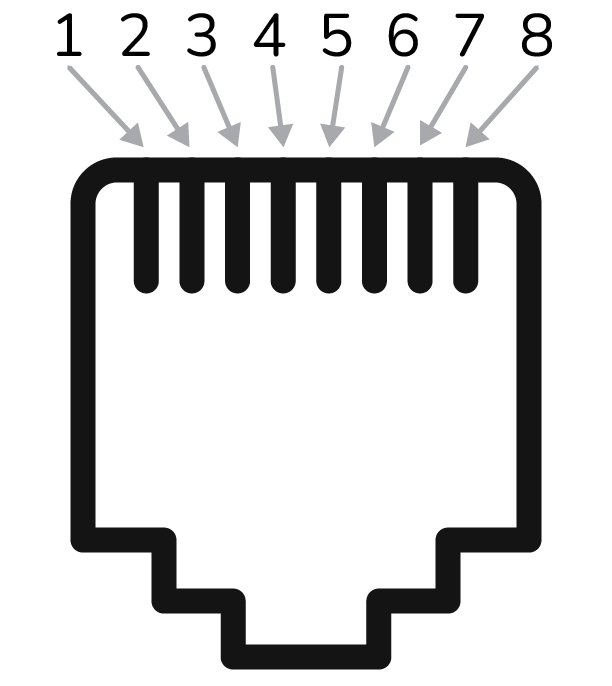
CAN Port Pin Map RJ45 Terminal Connector
|
PIN |
DESCRIPTION |
|---|---|
|
1 |
— |
|
2 |
— |
|
3 |
— |
|
4 |
CAN Low |
|
5 |
CAN High |
|
6 |
Ground |
|
7 |
(brown and white striped wire) |
|
8 |
(brown colored wire) |
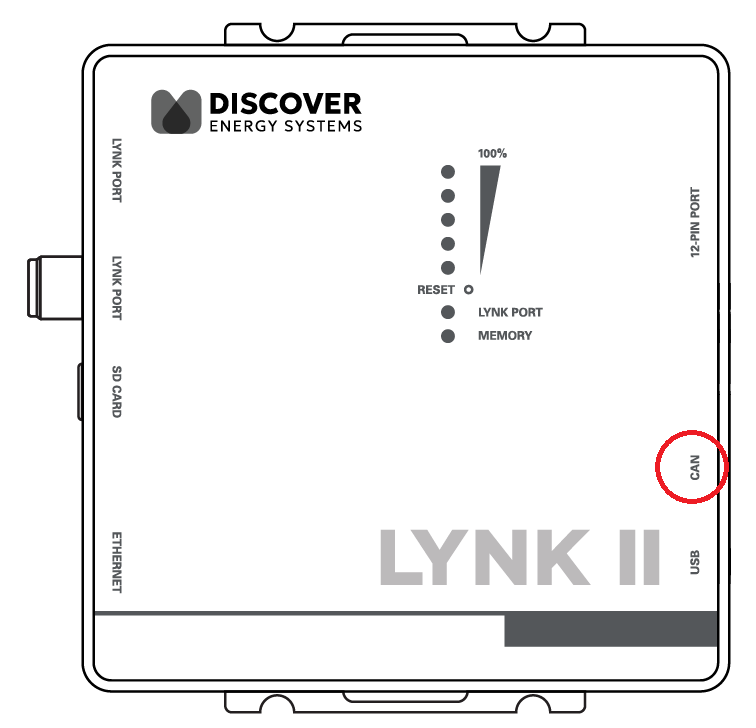
CAN Port on the LYNK II Gateway
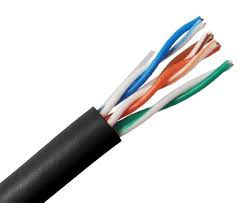
Use a CAT6 or higher cable to connect the pins on the LYNK II CAN port to the CAN pins of either the 12-pin connector of InsightHome or the 26-pin connector of InsightFacility.
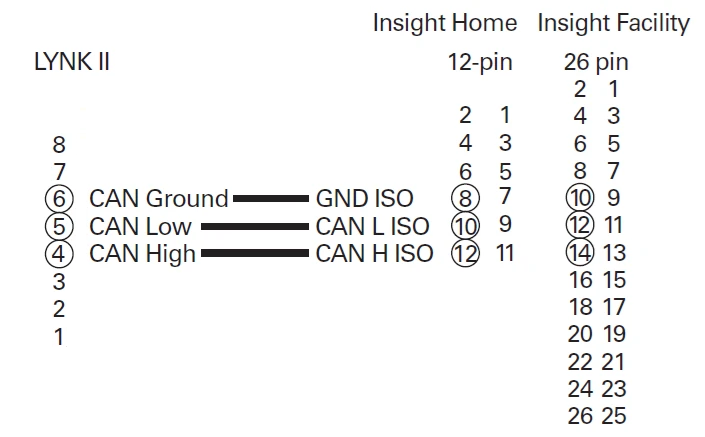
Mapping LYNK II CAN Port Pins to Insight Device Pins
|
Top Row |
|
Bottom Row |
||
|---|---|---|---|---|
|
1 |
Digital Output (0-40 Vdc) |
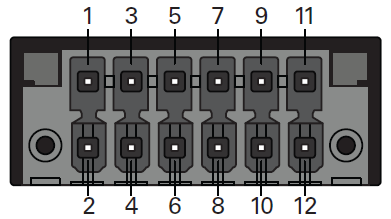
InsightHome 12-pin connector |
2 |
Digital Input 1 (12 Vdc) |
|
3 |
GND |
4 |
Digital input 2 (12 Vdc) |
|
|
5 |
Do not connect |
6 |
Do not connect |
|
|
7 |
GND ISO |
8 |
GND ISO |
|
|
9 |
RS485 A ISO |
10 |
CAN L ISO |
|
|
11 |
RS485 B ISO |
12 |
CAN H ISO |
|
|
Top Row |
|
Bottom Row |
||
|---|---|---|---|---|
|
1 |
GND |
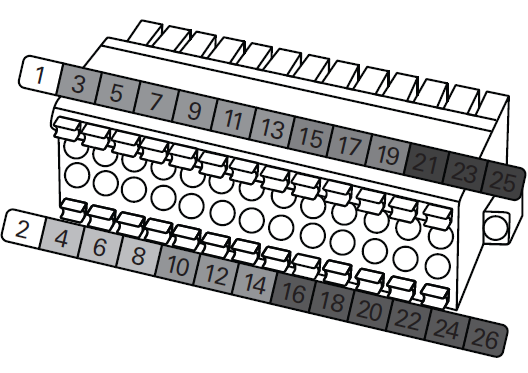
InsightFacility 26-pin connector |
2 |
9-24 Vdc power input |
|
3 |
0-10 Vdc analog input 1 |
4 |
GND |
|
|
5 |
0-10 Vdc analog input 2 |
6 |
12 Vdc digital input 1 |
|
|
7 |
GND |
8 |
12 Vdc digital input 2 |
|
|
9 |
4-20 mA input 1 |
10 |
ISO1 CAN GND |
|
|
11 |
4-20 mA input 2 |
12 |
ISO1 CAN L |
|
|
13 |
GND |
14 |
ISO1 CAN H |
|
|
15 |
Relay 1 N/O |
16 |
ISO2 RS485 GND |
|
|
17 |
Relay 1 COM |
18 |
ISO2 RS485 1A |
|
|
19 |
Relay 1 N/C |
20 |
ISO2 RS485 1B |
|
|
21 |
Relay 2 N/O |
22 |
ISO2 RS485 GND |
|
|
23 |
Relay 2 COM |
24 |
ISO2 RS485 2A |
|
|
25 |
Relay 2 N/C |
26 |
ISO2 RS485 2B |
|