
The AES Cabinet uses the LYNK II Communication Gateway for real-time battery monitoring, firmware updates, and seamless closed-loop communication with compatible hybrid inverters. The LYNK II is critical for system visibility, remote diagnostics, and maintaining optimal battery performance.
LYNK II FUNCTIONS
-
Battery-to-Inverter Communication
Enables closed-loop CANbus control with supported inverters (e.g., Sol-Ark 60K-3P), allowing dynamic adjustment of charge/discharge rates, voltage limits, and SOC reporting. -
System Monitoring
Collects and transmits system data, including voltage, current, SOC, pack temperatures, alarms, and operational status. -
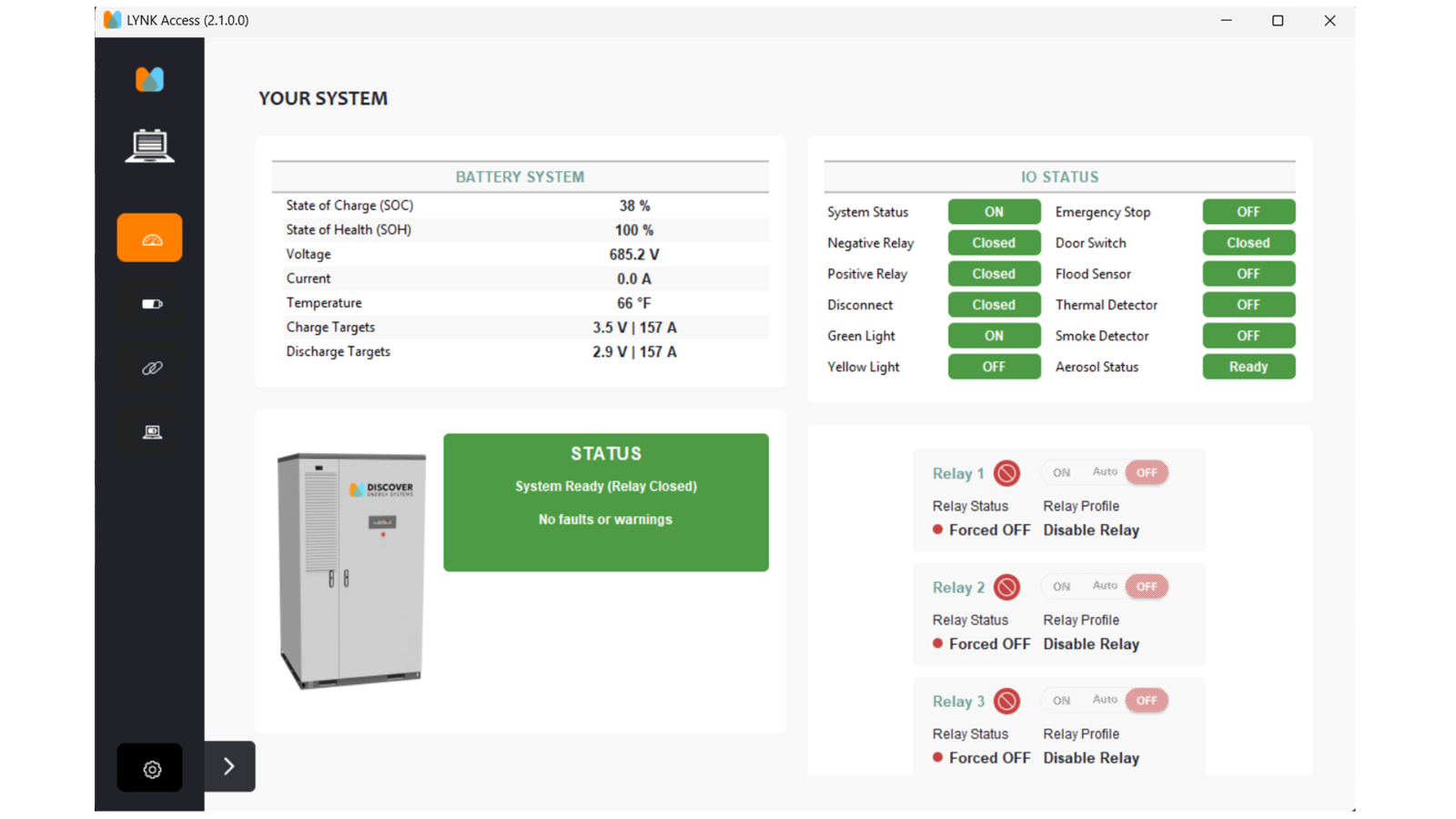
LYNK Access Software
Local PC interface for system diagnostics, configuration, and live data viewing via USB mini cable. -
LYNK Cloud (Optional and Free)
Provides secure, remote access to real-time system performance, fault logs, and firmware status through a web dashboard over ethernet connection.
Firmware Updates
|
NOTICE |
|---|
|
EQUIPMENT DAMAGE Only qualified service personnel should perform firmware updates. Improper procedures may result in communication loss or battery shutdown. Failure to follow these instructions may result in equipment damage. |
-
Firmware updates for the LYNK II Gateway are managed via the LYNK Access software.
-
Always ensure the system is in a safe state (idle, not charging or discharging) before beginning any firmware update.
-
Follow the firmware update instructions provided by Discover Energy Systems, your authorized installer or service provider.
-
Use the correct firmware version corresponding to your cabinet model and inverter configuration.
-
After updates, verify communication and system alarms are cleared and, if enabled, that the cloud interface is reconnected.
Data Access and Troubleshooting
Use LYNK Access to:
-
Check inverter-BMS communication status.
-
Monitor system voltage, current, SOC, energy throughput and pack temperature.
-
View system warnings, faults, and historical logs.
-
Confirm the firmware version of LYNK II.
-
Make sure you have the latest LYNK ACCESS version on your computer. Download from here: https://discoverenergysys.com/s4x_files/resources/lynk-access-setup.
If using LYNK Cloud:
-
Log in at https://mylynkcloud.com/login
-
Use the secure credentials provided during commissioning.
-
Access cabinet dashboards, alerts, firmware reports, and event history.
|
NOTE |
|---|
|
Remote access requires connecting LYNK II to the internet through its Ethernet port. |
Responsibility and Support
-
Regular monitoring of the system is the responsibility of the system owner or operator.
-
Firmware management should only be performed under the direction of a Qualified Service Operator or Discover Energy Systems support.
-
For assistance, contact Discover technical support or visit:
https://discoverenergysys.com/contact/contact-technical-support