
The HELIOS ESS battery can be installed indoors or outdoors.
Install the battery in locations that meet the following requirements:
-
Wall Mount or Wall Supported
-
Wall mount. Secure the batteries on the wall so that wall studs support at least 4 bolts of the Wall-Mount Bracket.
-
Wall supported. You can install the battery on the ground and attached to the wall.
-
-
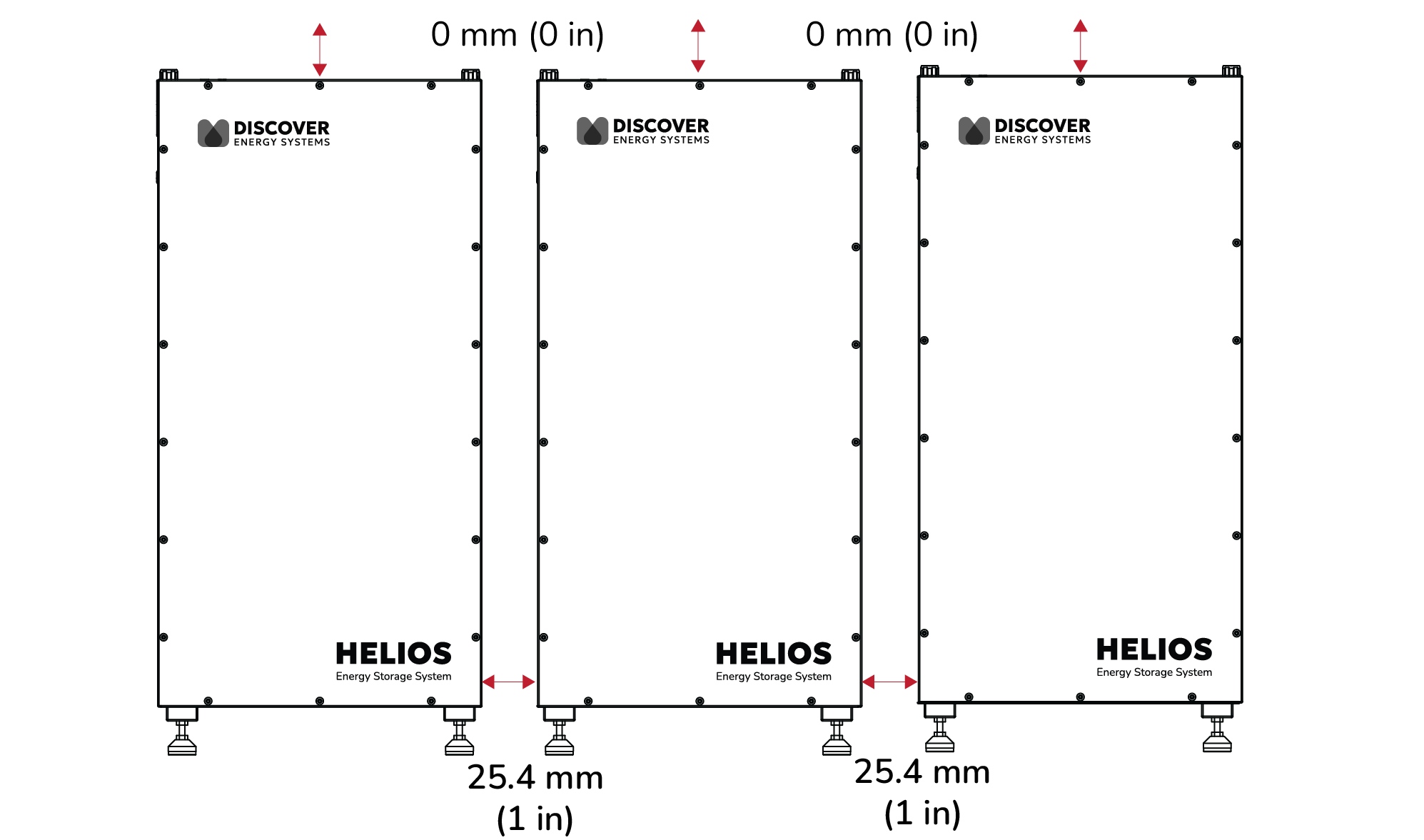
Spacing. If installing one or more batteries, allow spacing of at least 25.4 mm (1 in) to the sides. More spacing may be required to access the various ports and terminals on the side of the battery or if using a conduit box.
There is no spacing requirement above the battery, except for the practical purposes of your application.
|
NOTE |
|---|
|
When adjusting the space between batteries, you may need to use the HELIOS ESS Terminal Connector Set (950-0072) to create your own power cables and the HELIOS ESS RJ45 Waterproof Connector (950-0078) to create your own communication cables.
-
Do not install in direct sunlight. Avoid installing the battery in an area with high ambient temperature.
-
Moderate temperature. The ambient temperature should be between 4°C and 40°C (39.2°F and 104°F). Ambient temperatures of 15°C to 20°C (59°F to 68°F) are ideal for extending battery life.
-
Ventilation. If housing the batteries in a room, add vents to allow airflow to the outdoors.
-
Away from water. Do not install in locations that are susceptible to flood or water leakage. If flooding is a danger, install above the ground.
The adjustable feet provide the battery with 48 to 78 mm (1.9 to 3 in) of clearance above the ground. Check with local requirements on whether the installation requires extra space below the battery. -
Orientation. Installing the battery with its feet pointing down is the recommended orientation. Never install the battery upside down (feet pointing up).
If you install the battery in any other orientation, ensure it is securely mounted and supported to prevent movement and stress on the connections.
|
NOTE |
|---|
|